
Search
Once a vendor is added in Uproot Security, each vendor has a dedicated workspace where teams can document context, assess risk, complete reviews, and track remediation over time. This article explains every section available inside a vendor record and how it is used.
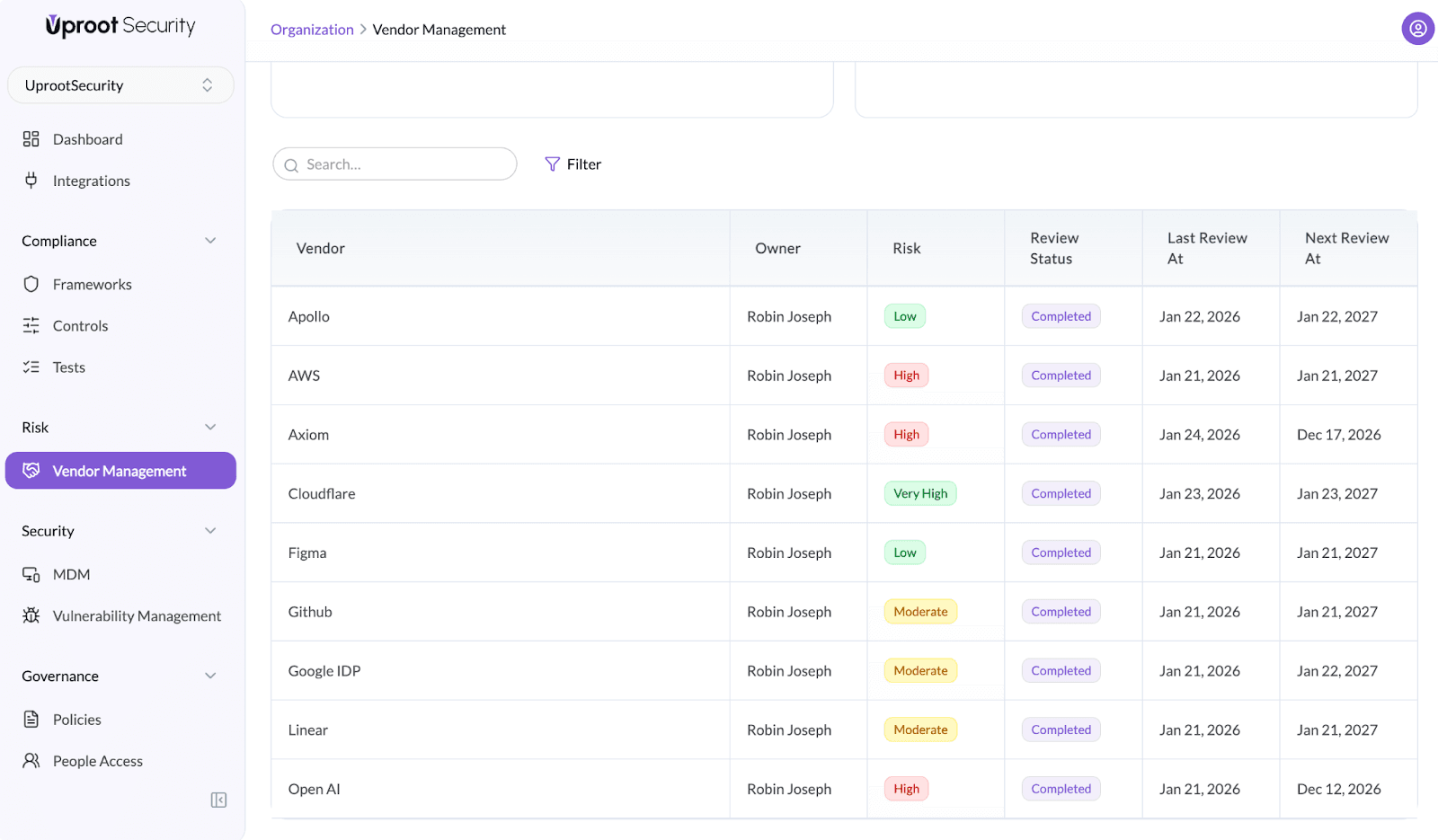
To open a vendor:
This opens the vendor detail page with three primary sections:
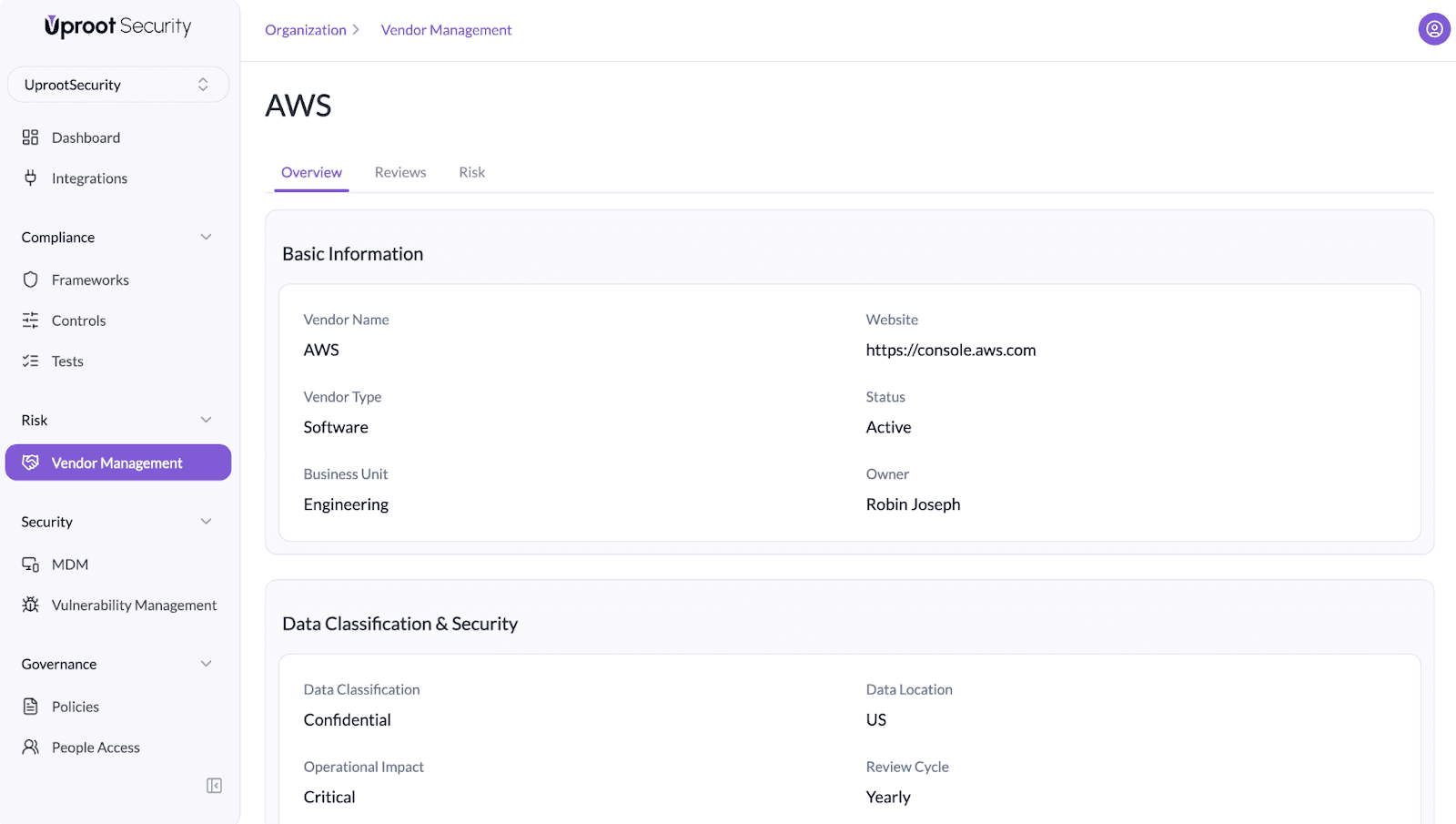
The Overview tab captures core vendor context and risk-relevant metadata. This information is used throughout reviews, assessments, and reporting.
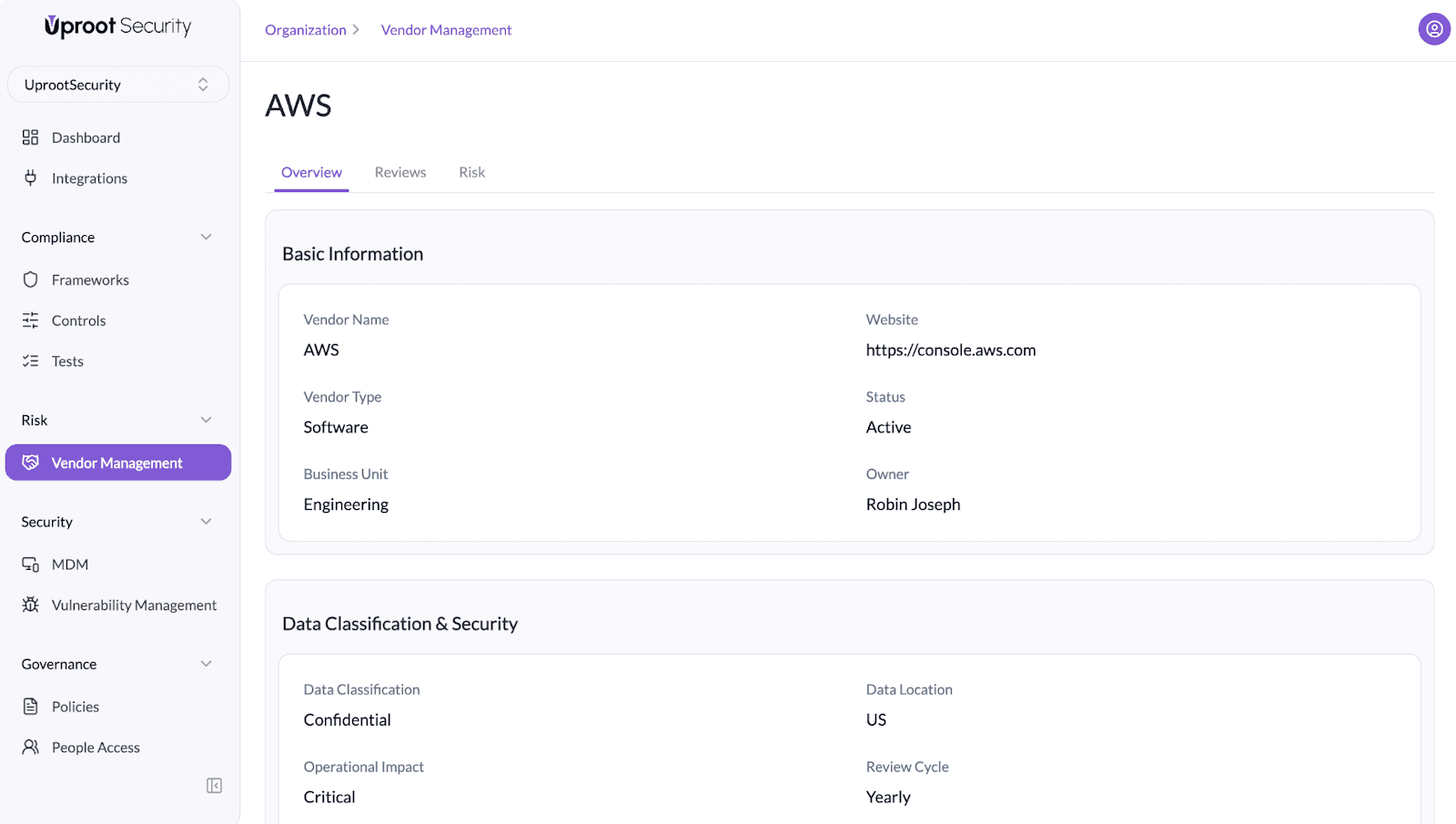
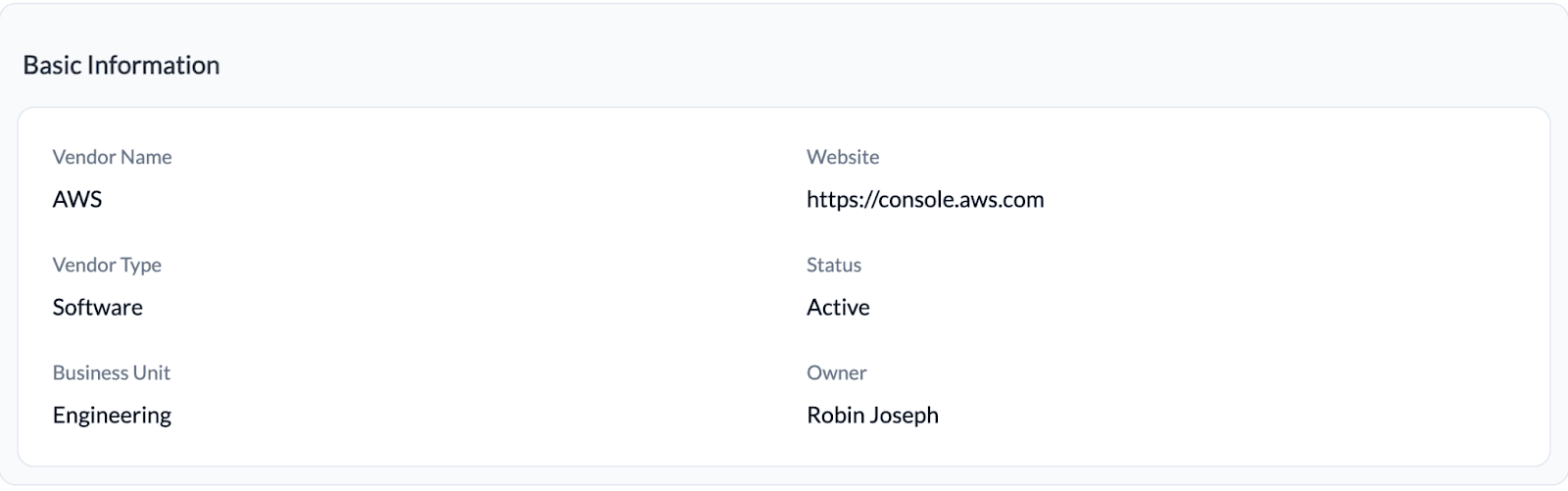 Defines ownership and business context for the vendor:
This ensures accountability and clear ownership for audits and escalations.
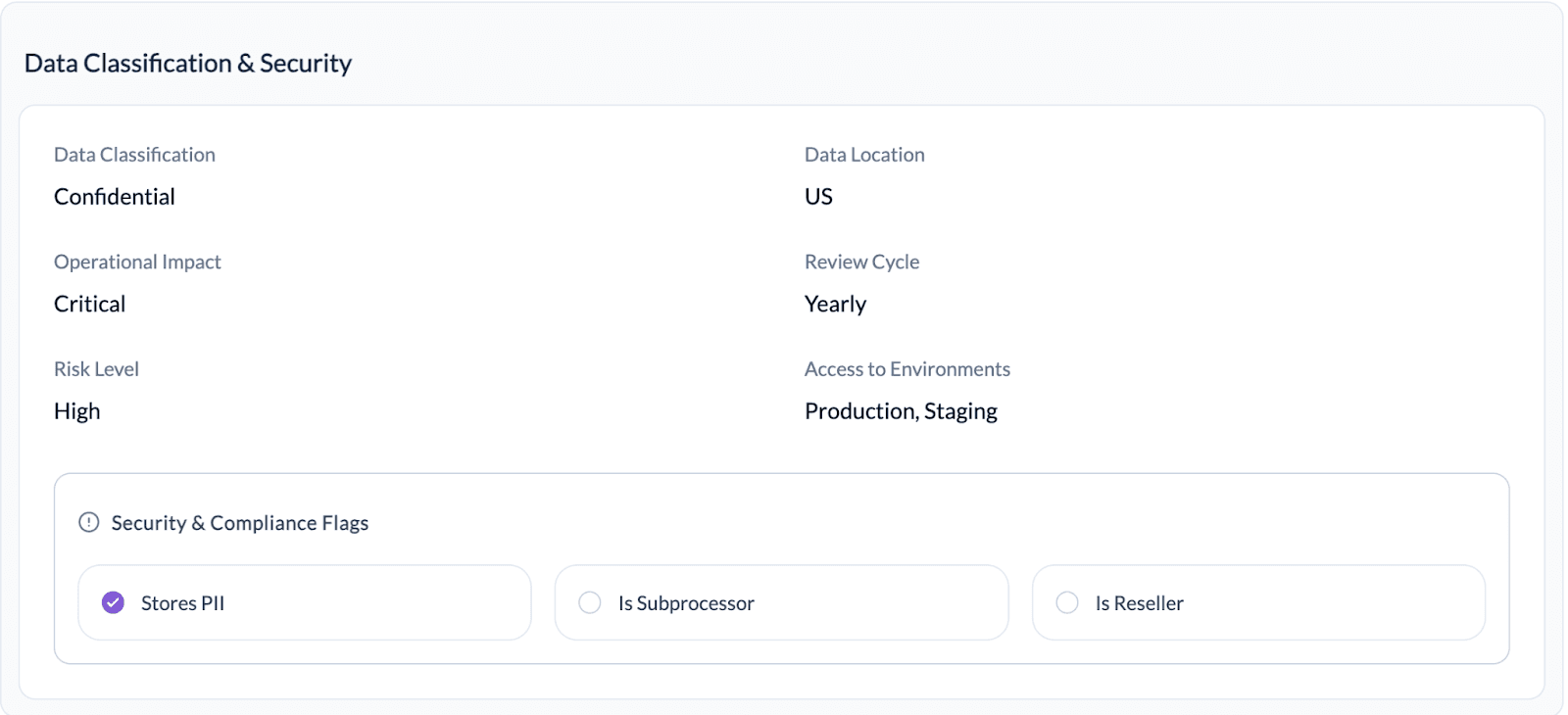 Documents how sensitive the vendor relationship is:
These fields help prioritize reviews and enforce risk-based vendor management.
Quick indicators of a vendor’s compliance and privacy impact:
These flags help teams quickly identify vendors that require additional review during SOC 2, ISO 27001, and privacy assessments.
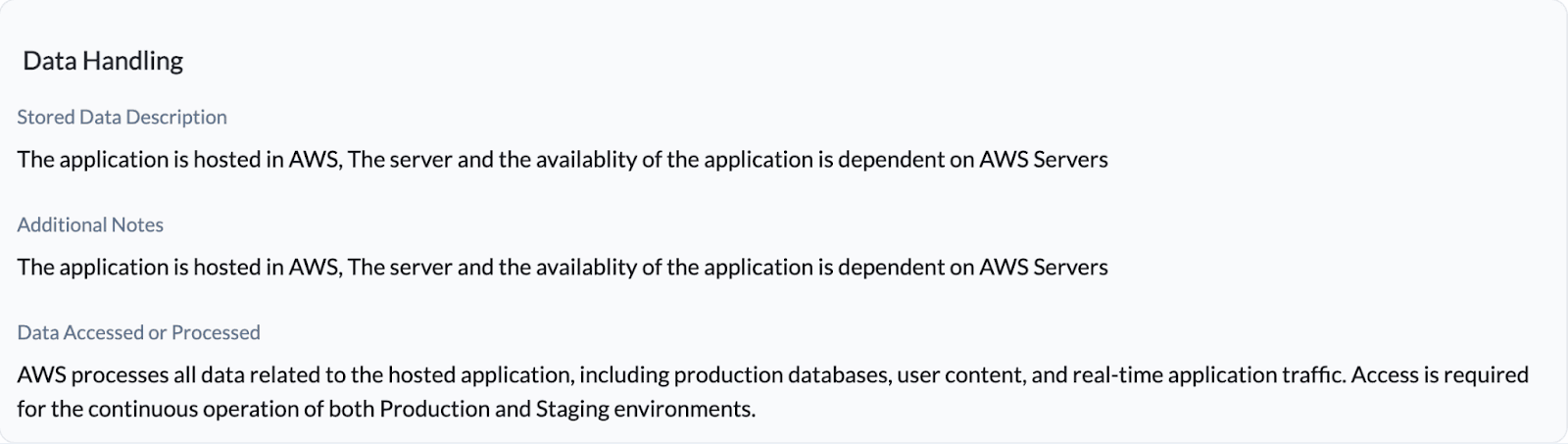 Provides narrative context for auditors and internal reviewers:
This section is critical for explaining vendor dependency and blast radius.
The Reviews section is used to conduct structured vendor assessments.
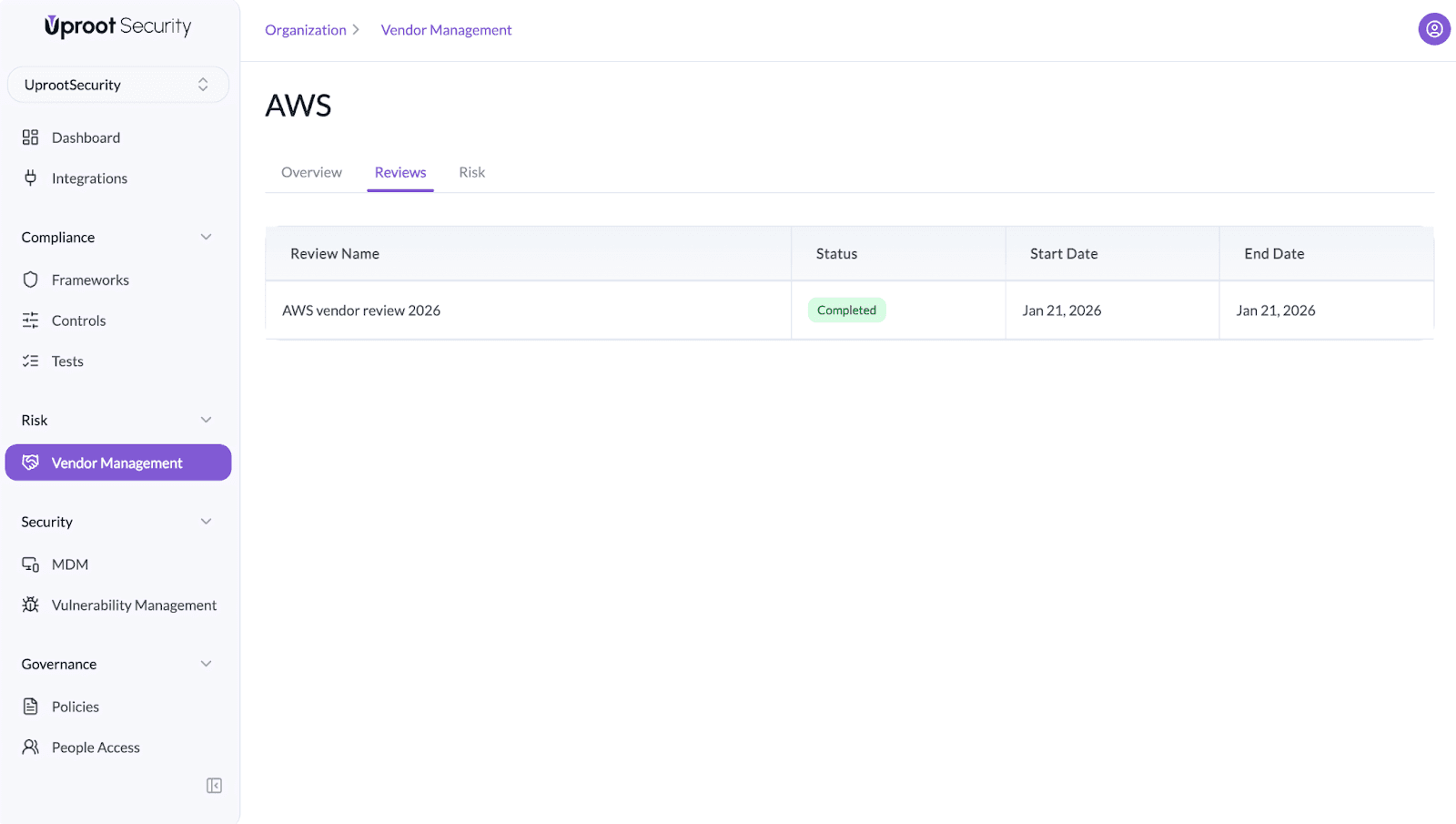
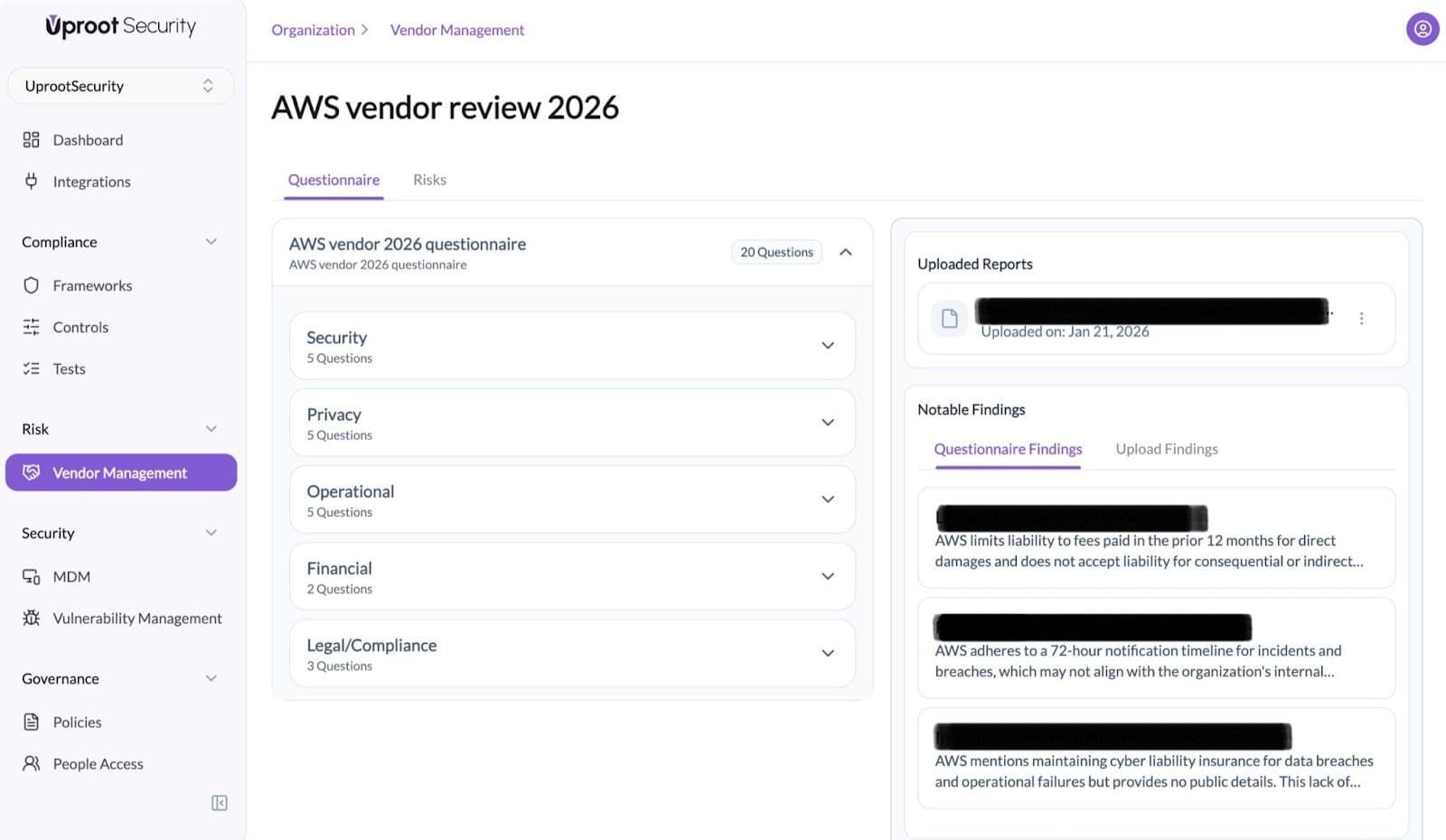 Each review is organized into a questionnaire with predefined categories such as:
Each category contains targeted questions used to assess vendor controls and commitments.
Powered By SparrowDesk