
Search
The People Access feature in the Uproot Security platform provides a centralized view of all users and their compliance status.
Users are automatically synced from your Identity Provider (IDP), ensuring records remain up to date and aligned with your organization’s directory.
The People tab displays all synced users in a table format.
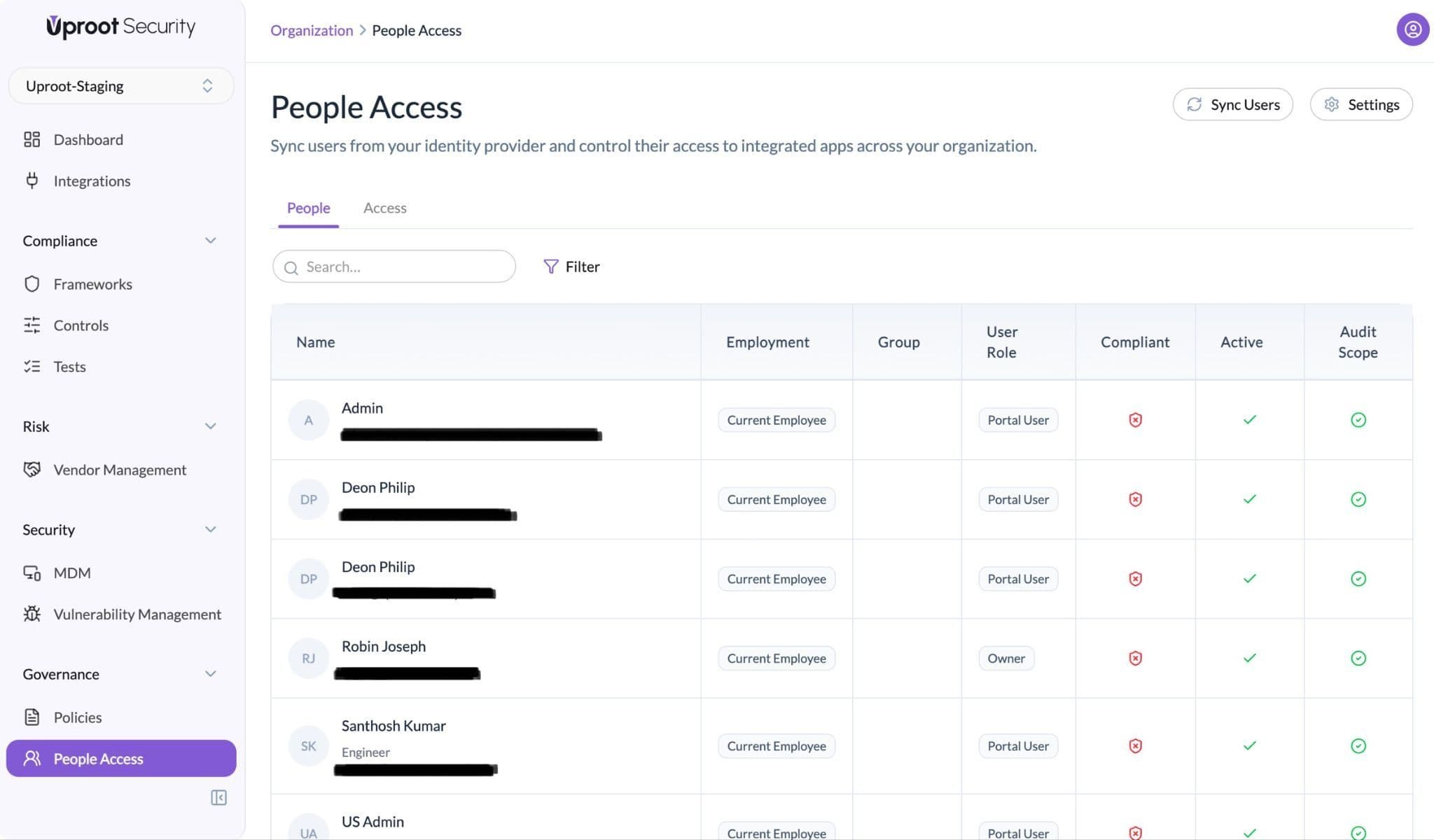
Each row represents a user and includes the following fields:
People Access enables structured user management, automated syncing from the IDP, and centralized compliance tracking.
Click on any user to open the detailed profile view.
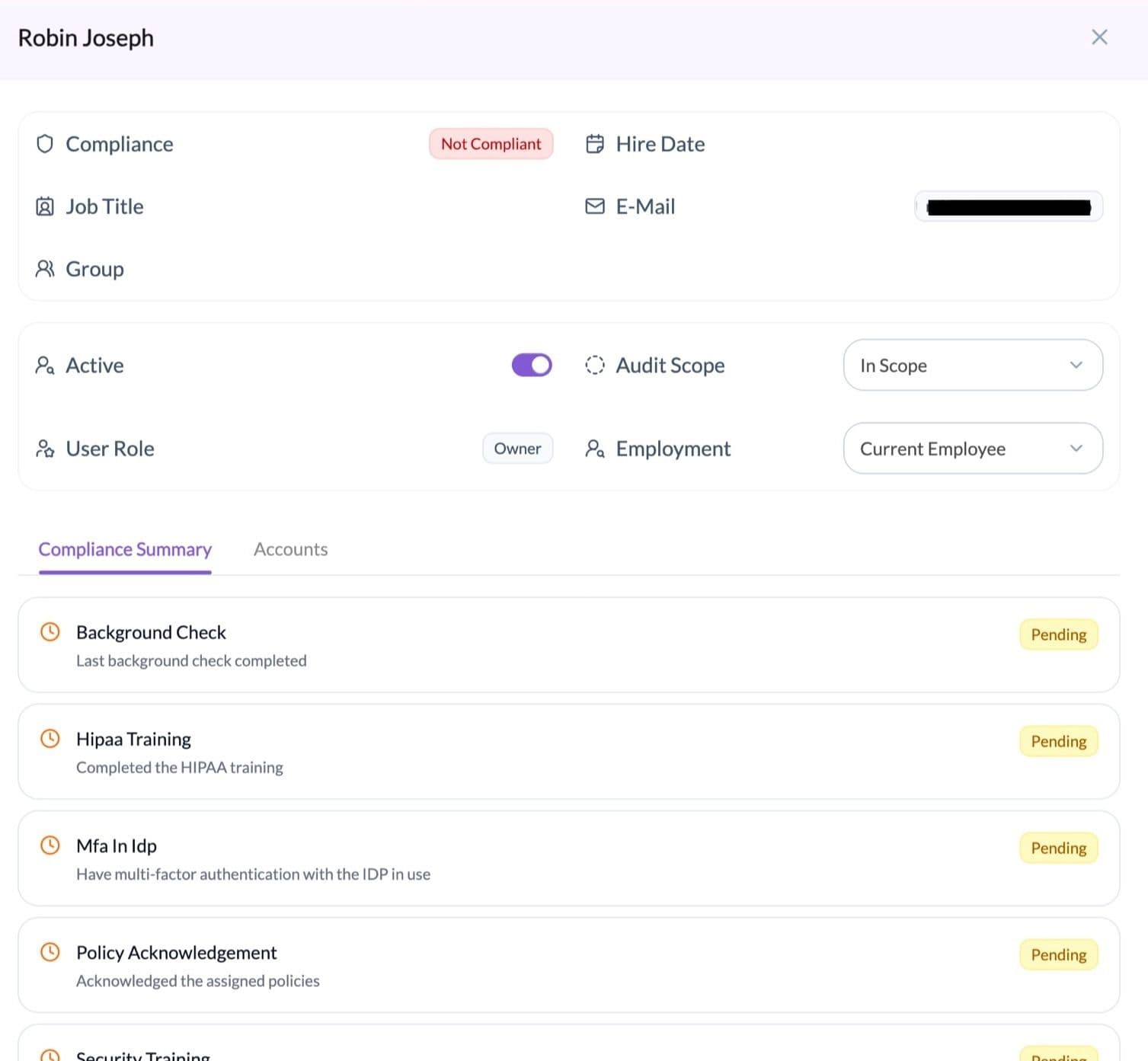
The user detail page includes the following sections:
1. Activity Status
Indicates whether the user is currently active in the system.
2. Audit Scope
Indicates whether the user is:
Users who were active during the audit observation period should remain In Scope to maintain complete historical records.
3. User Role (Platform Role)
Defines the user’s access within the platform:
Every user is assigned a Portal User by default.
4. Employment
Indicates the user’s classification:
5. Compliance Summary
Displays the user’s compliance requirements and their current status, such as:
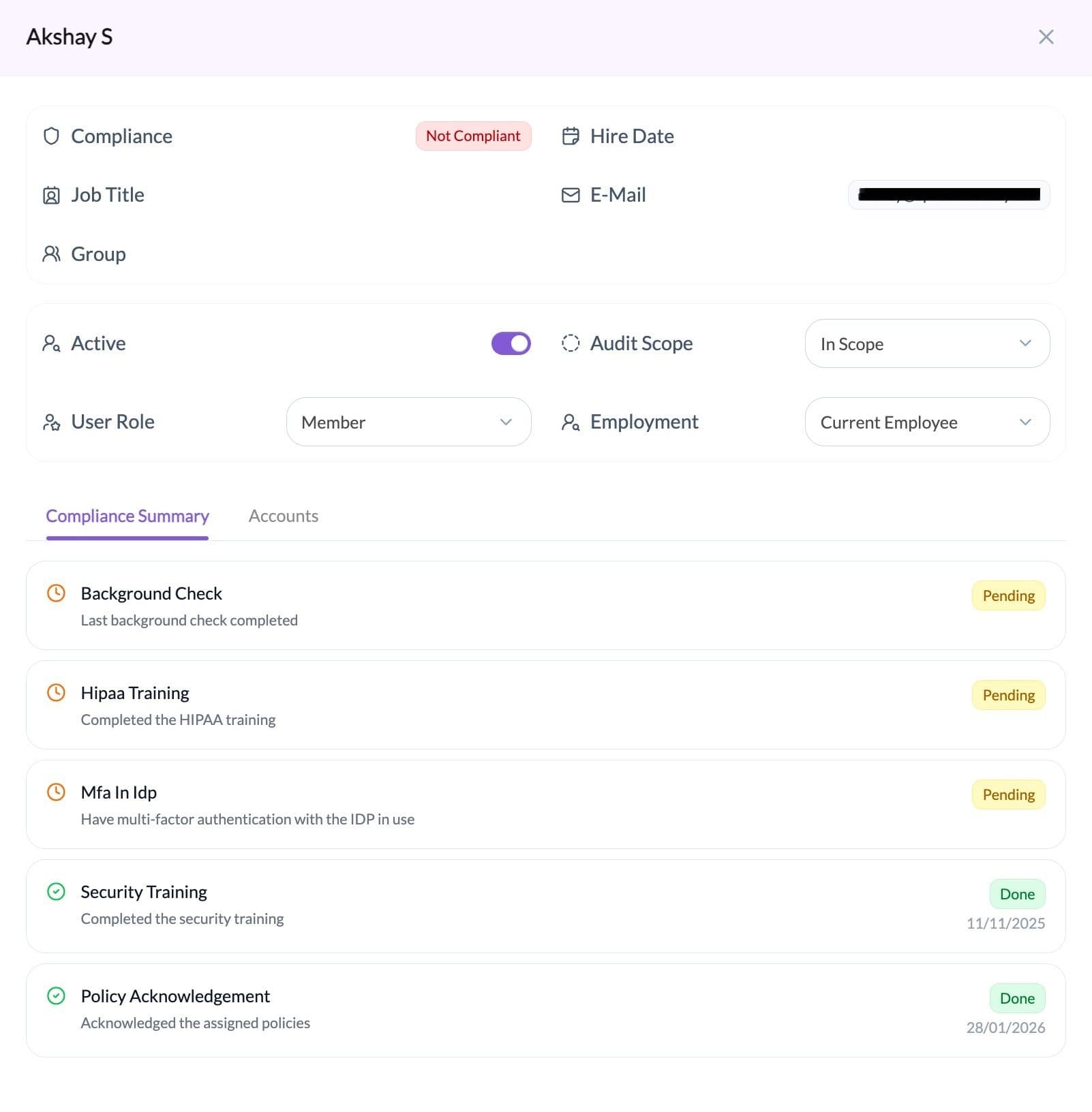
Each requirement shows whether it is completed or pending.
6. Accounts
Displays the user’s access across integrated tools.
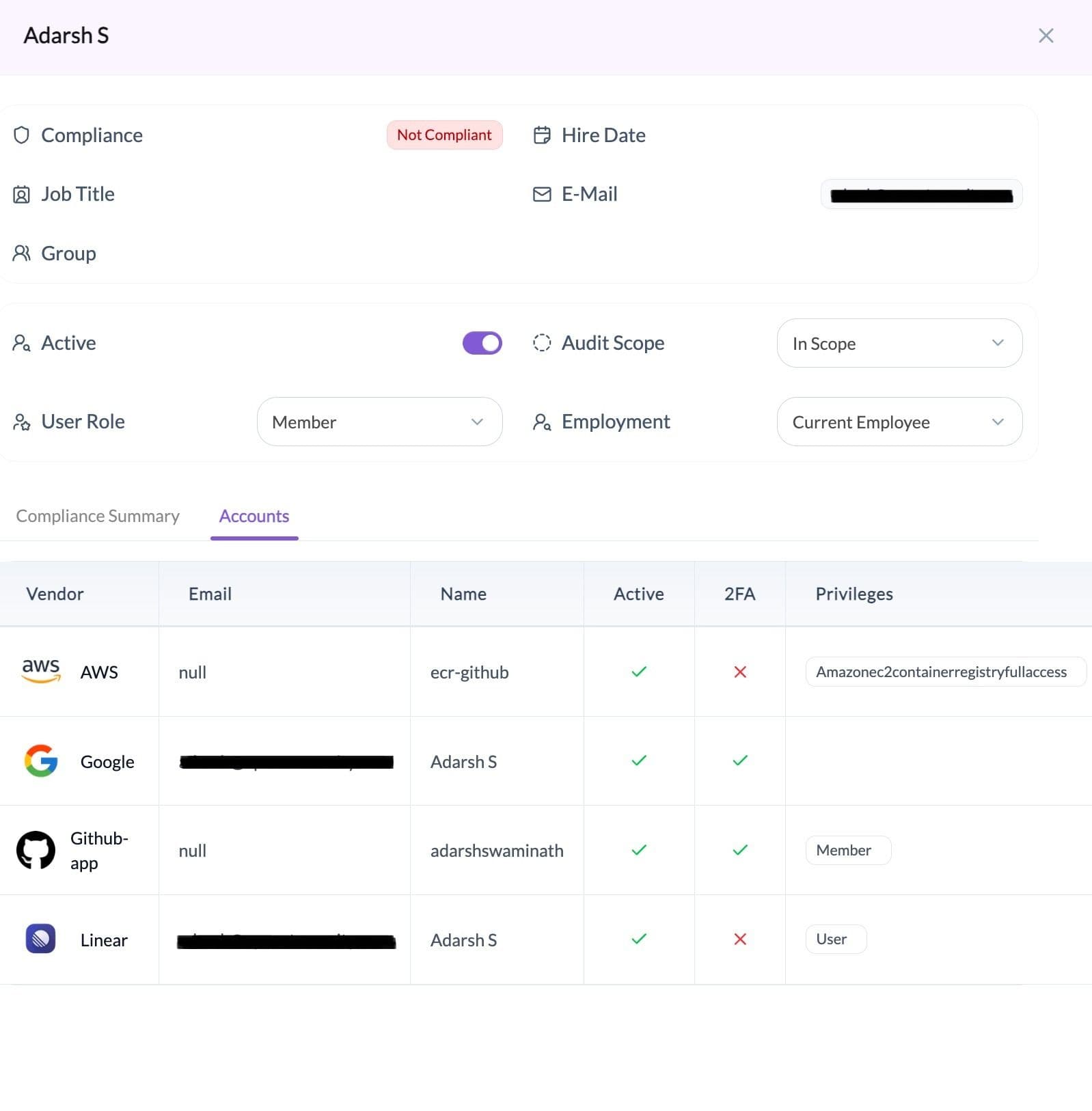
For each account, the platform shows:
This section supports centralized user access reviews.
The Access tab provides a centralized view of application accounts across integrated tools.
It displays account ownership, assigned roles, MFA status, and audit scope in one place.
The Access tab displays application accounts in a table format.
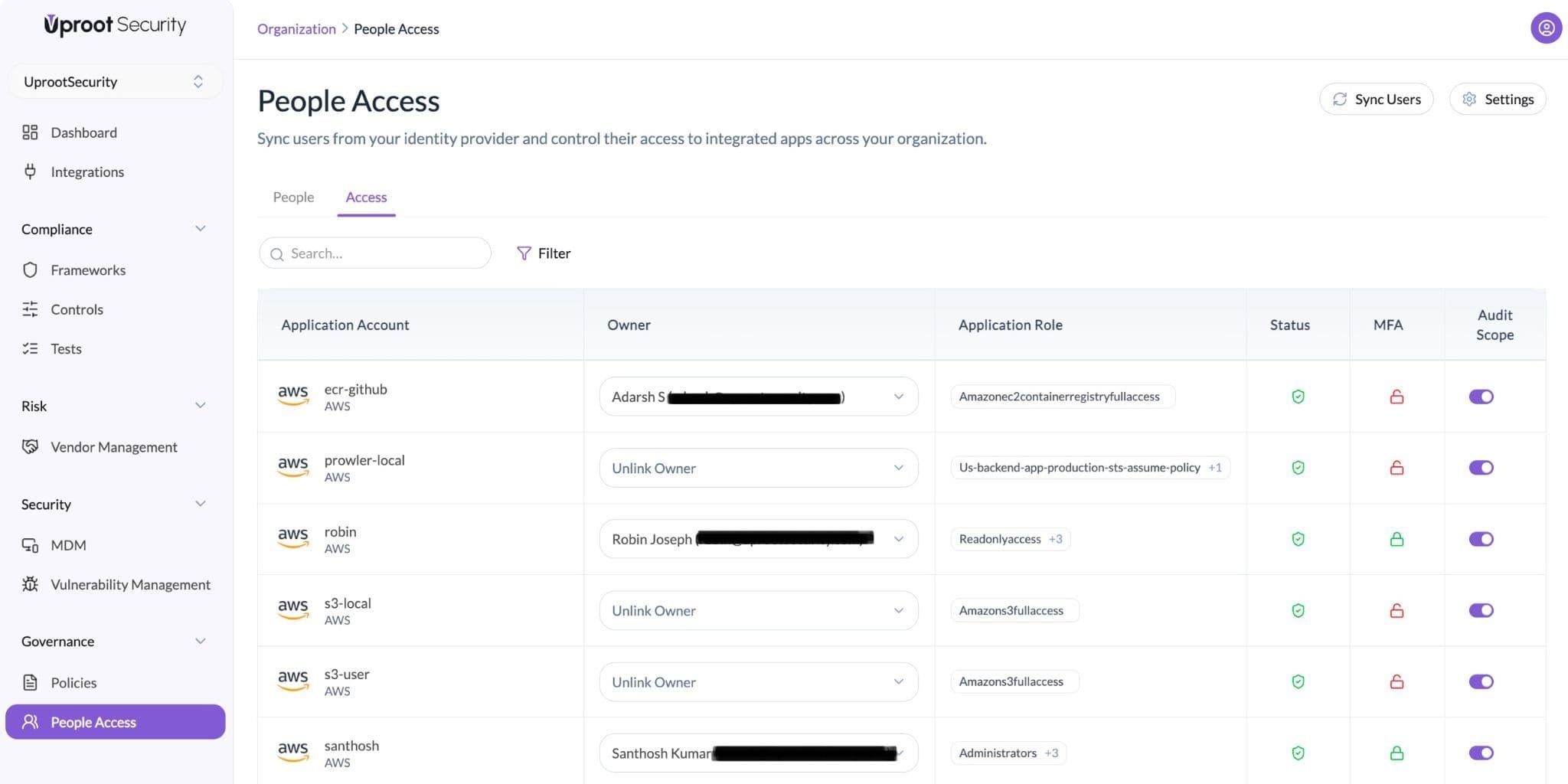
Each row represents an application account and includes the following fields:
Search and filter options are available to locate specific accounts.
The Access tab centralizes application account visibility and supports structured access tracking across integrated tools.
The platform supports alerts for access-related changes to improve visibility and accountability.
Notifications can be accessed and configured as follows:
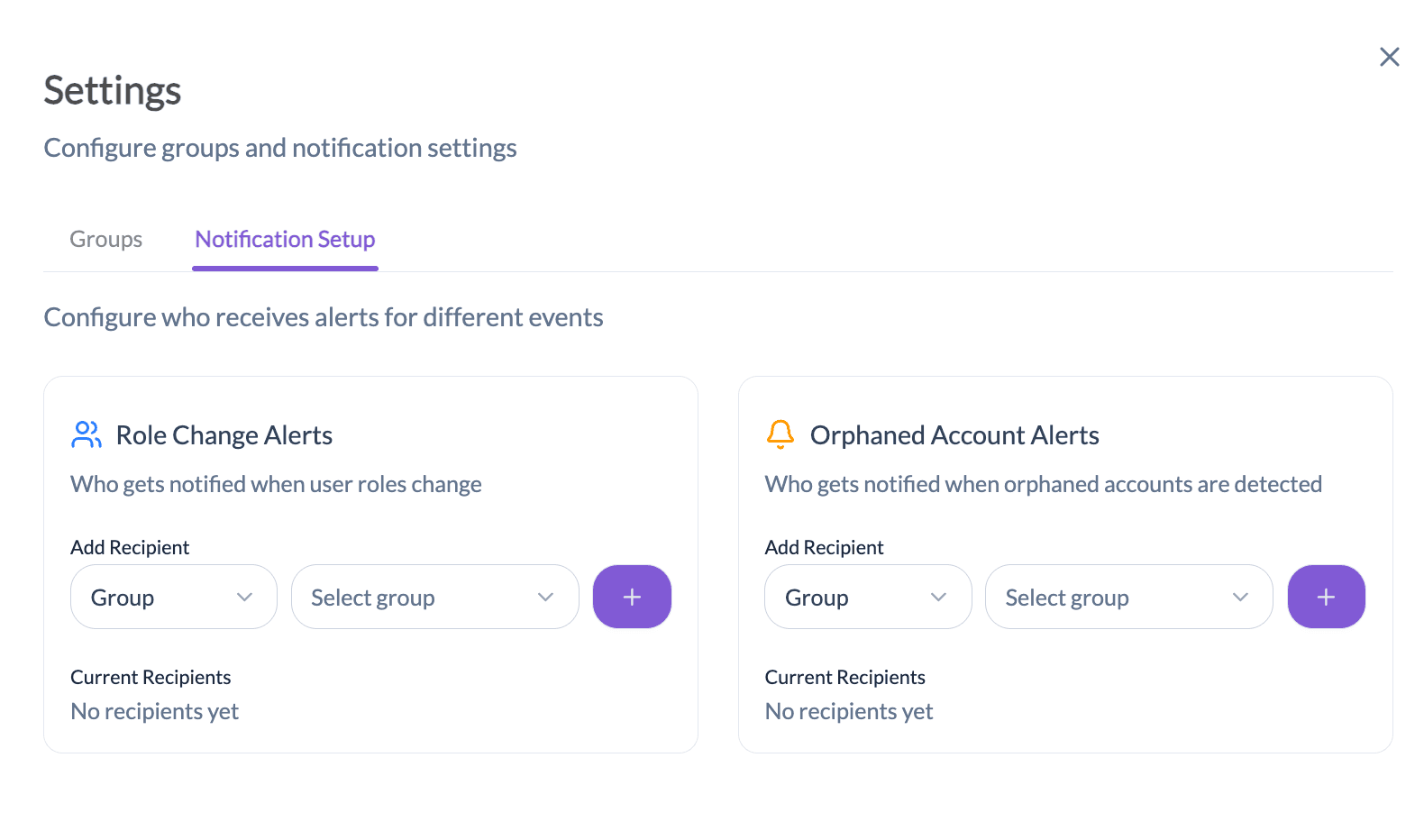
Notifications can be configured to alert users or groups when:
An orphaned account is an application account that does not have an assigned owner.
Notifications can be configured to alert users or groups when:
This helps ensure all accounts have clear ownership.
Powered By SparrowDesk