Ticketing integrations allow Uproot to connect with your issue tracking and project management tools. These integrations help link engineering, security, and compliance workflows by providing visibility into issue ownership, status, and resolution processes.
How Ticketing Integrations Help During Audits
Ticketing integrations provide auditors with evidence of controlled issue management and accountability. Auditors can verify that security, compliance, and operational issues are logged, tracked, and resolved according to defined processes, and that access is limited to the appropriate teams.
Available Ticketing Integrations in Uproot
Uproot currently supports integration with the following ticketing platforms. These integrations allow you to connect your issue tracking systems and align operational workflows with security and compliance controls.
Linear
Connect Linear to track issue creation, ownership, and resolution processes used by your engineering and security teams.
Jira
Integrate Jira to monitor how tickets are created, assigned, and resolved within your organization, and to ensure alignment with compliance and audit requirements.
How to Enable the Jira Integration
Follow the steps below to connect your Jira account with Uproot using the Uproot platform integration.
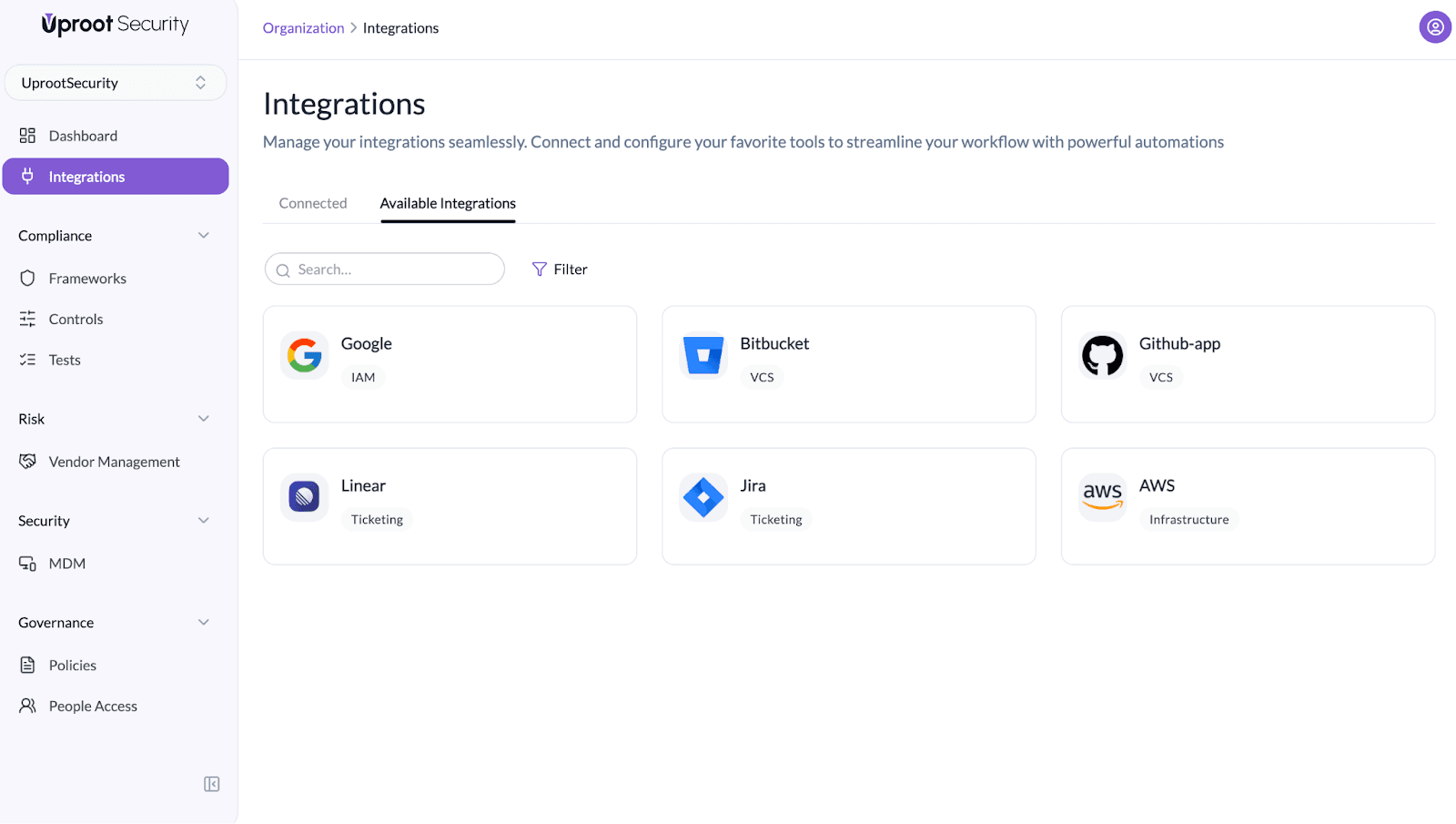
- Click Connect Jira on the Jira integration card.
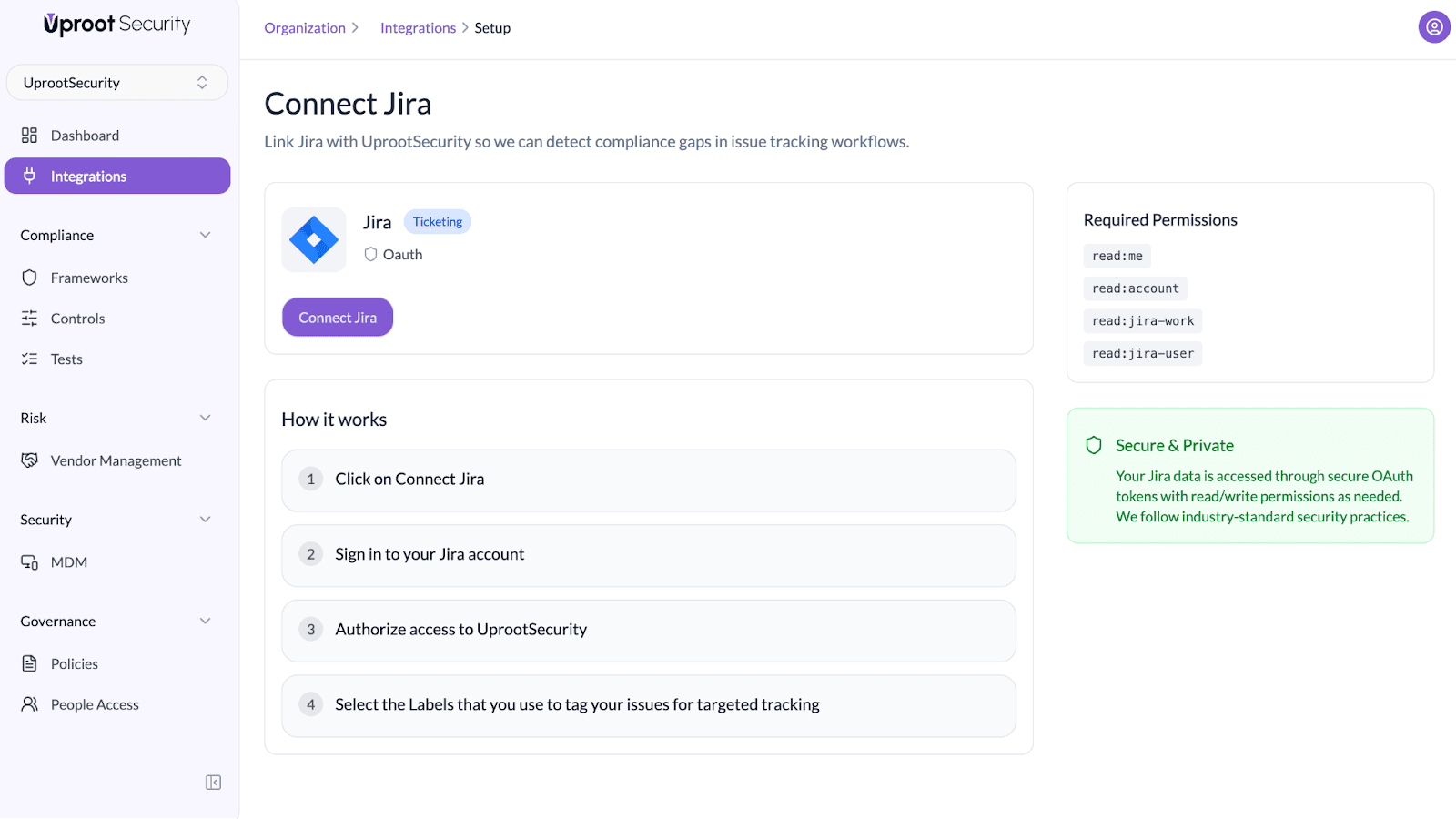
- Sign in to your Jira account if you are not already logged in.
- When prompted, authorize UprootSecurity to access your account.
- Select the Labels that you use to tag your issues for targeted tracking.
- Review and approve all requested permissions to complete the connection.
Once the integration is enabled, Uproot will begin referencing your selected Jira issues to track compliance and security-related workflows.
How to Enable the Linear Integration
Follow the steps below to connect your Linear account Uproot using the Uproot platform integration.
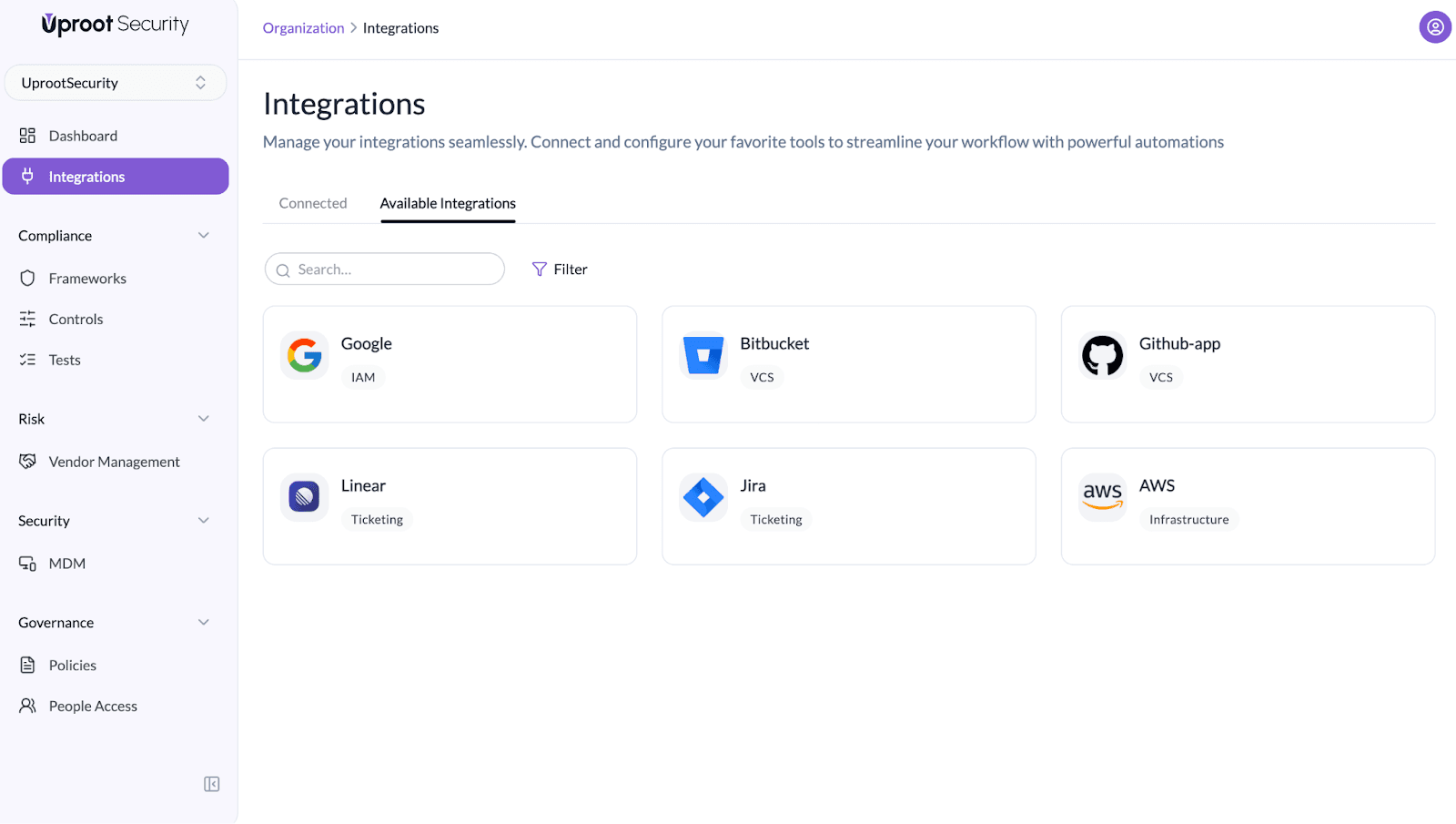
- Click Connect Linear on the Linear integration card.
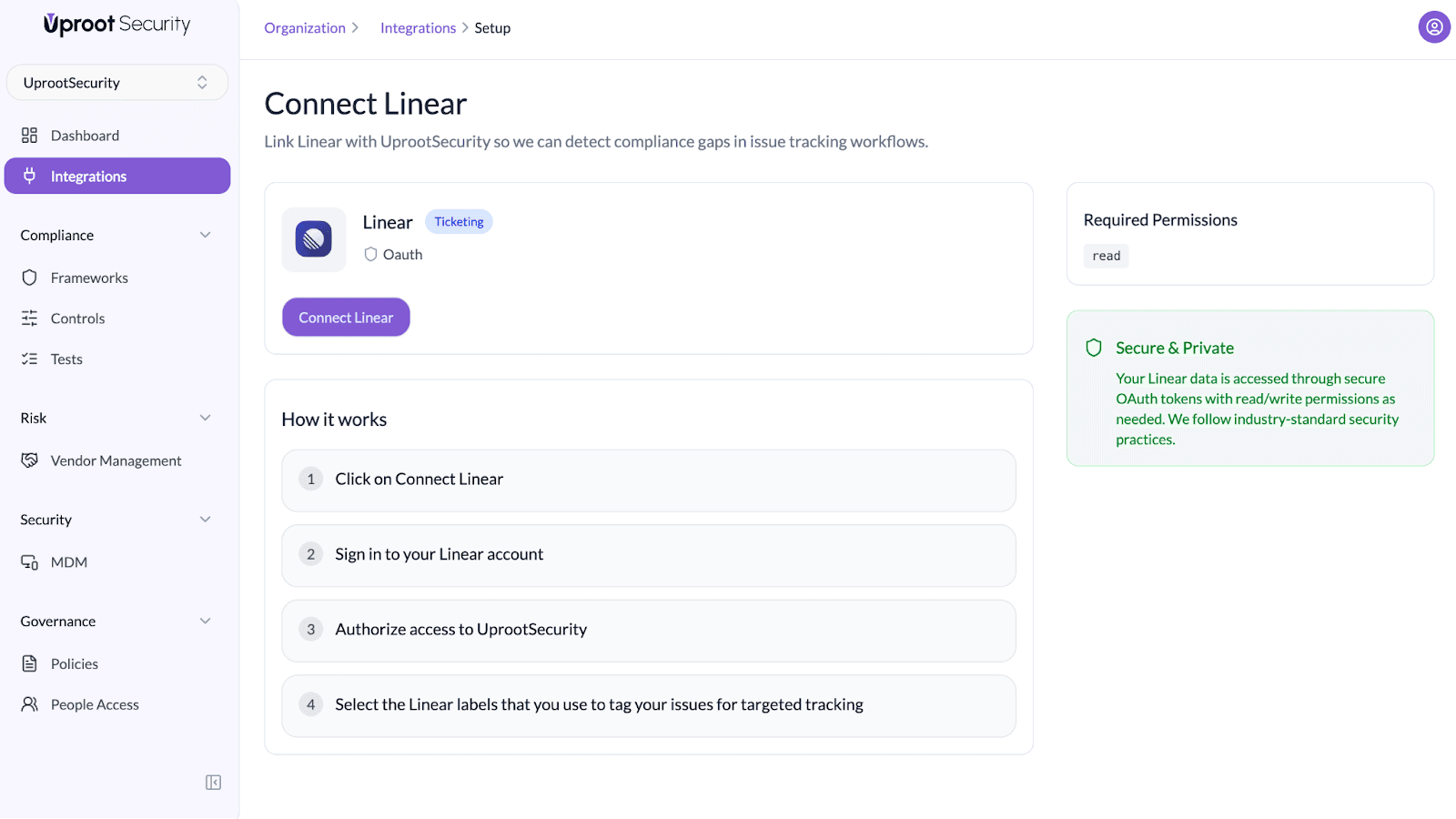
- Sign in to your Linear account if you are not already logged in.
- When prompted, authorize UprootSecurity to access your account.
- Select the Linear labels that you use to tag your issues for targeted tracking.
- Review and approve all requested permissions to complete the connection.
Once the integration is enabled, Uproot will begin referencing your selected Linear issues to track compliance and security-related workflows.
Configuring Linear Issue Labels and SLAs
After enabling the Linear integration, configure how different categories of issues are mapped to Linear and how SLAs are defined.
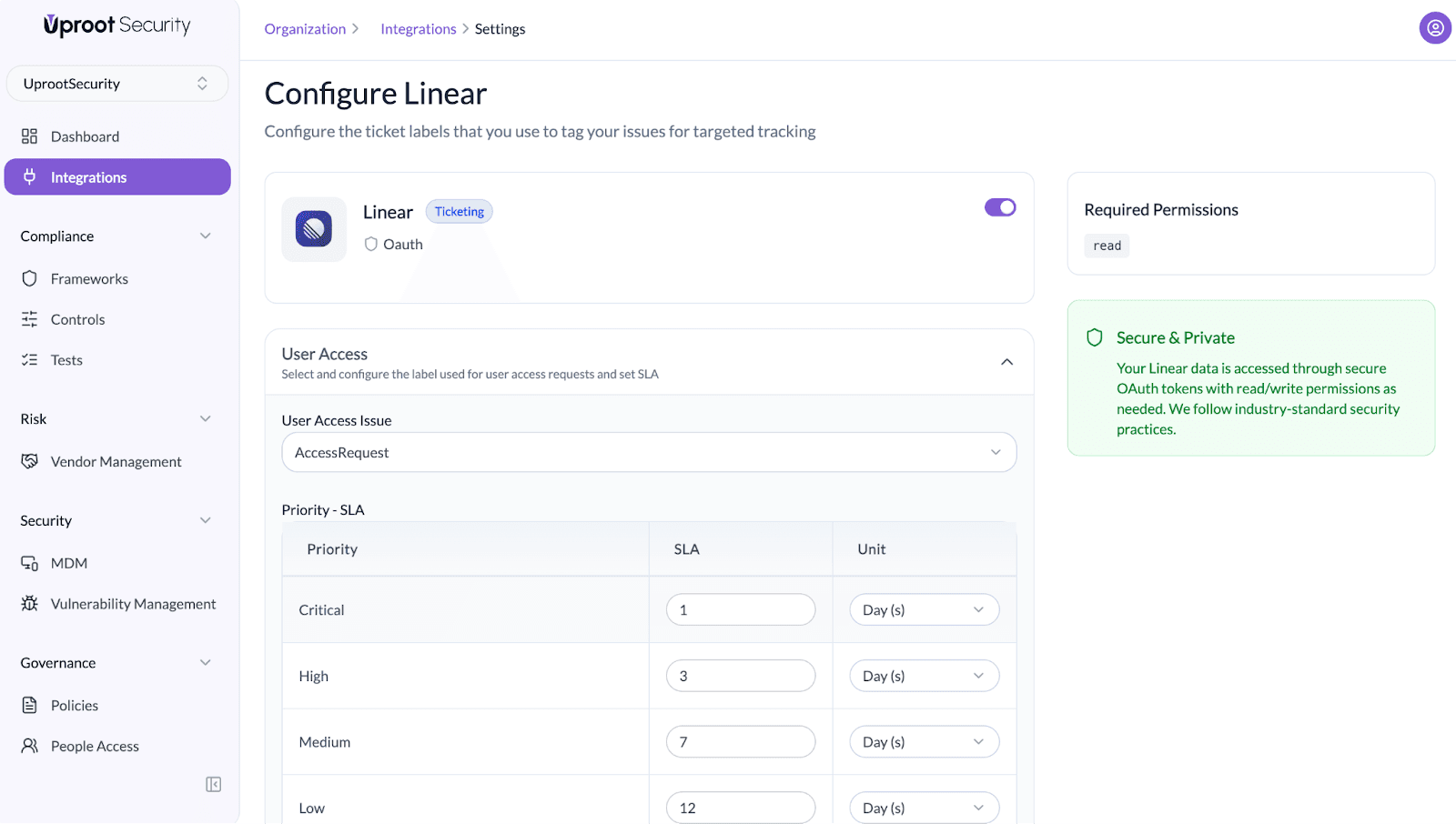
User Access
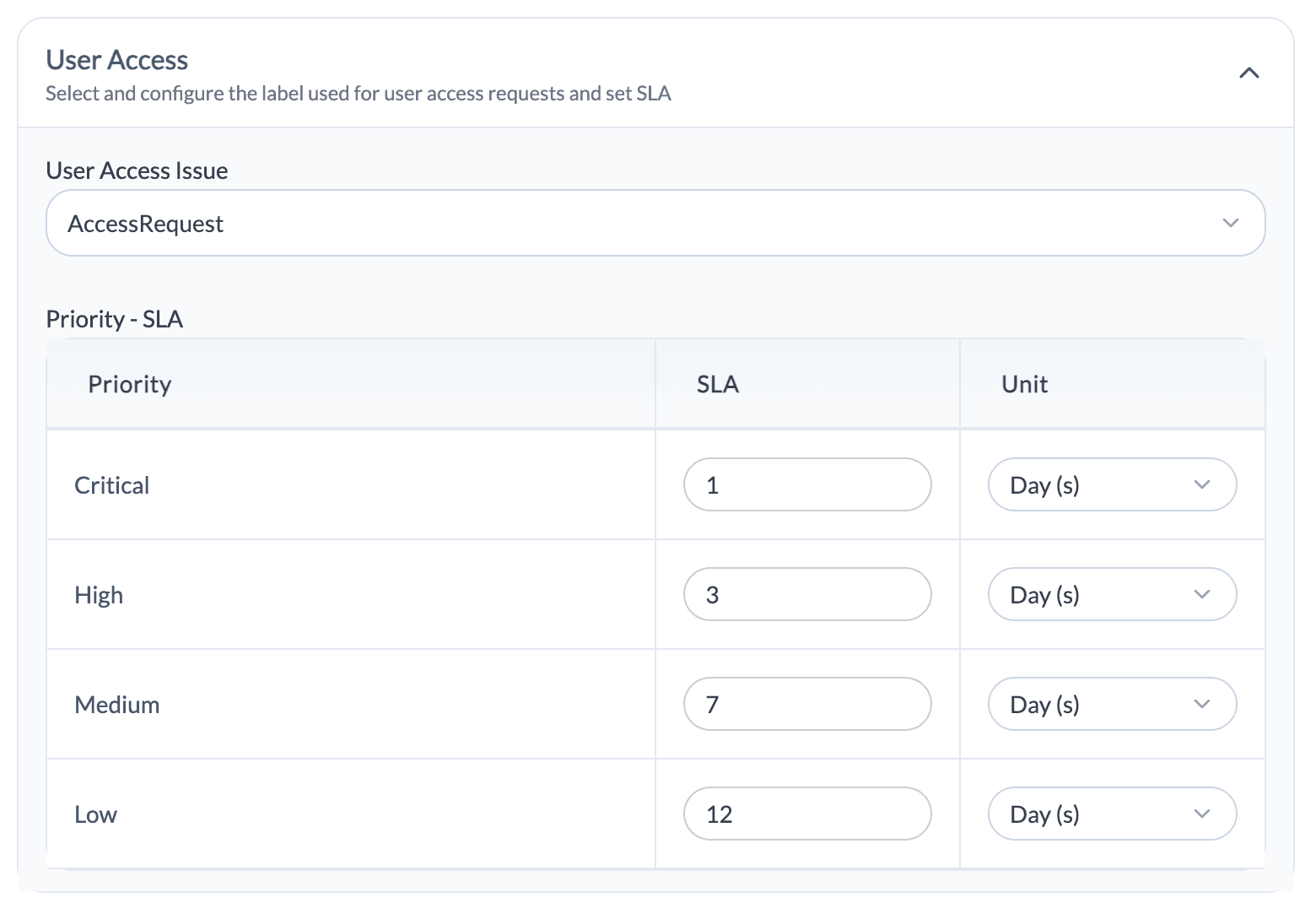
User Access Issue
- Select the Linear issue label used for user access requests
- Apply this label to track access provisioning and access changes
Priority – SLA
- Define SLA values for each priority level
- Configure SLAs for Critical, High, Medium, and Low priorities
- Select the time unit for each SLA (hours or days)
System Change
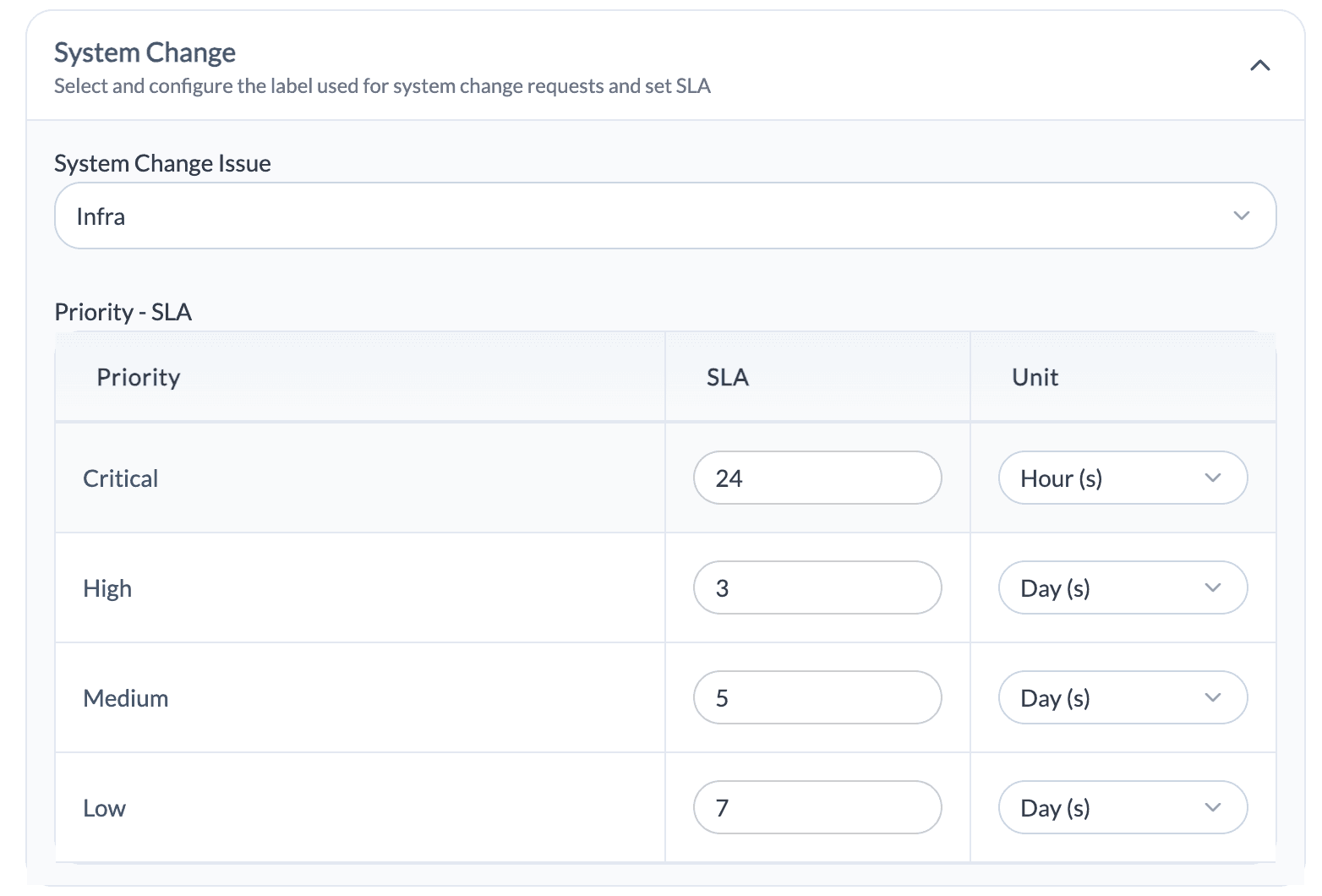
System Change Issue
- Select the Linear issue label used for system and infrastructure change requests
- Use this label to track change-related activities
Priority – SLA
- Define SLA values based on change priority
- Configure SLAs for Critical, High, Medium, and Low priorities
- Select the time unit for each SLA (hours or days)
Vulnerability
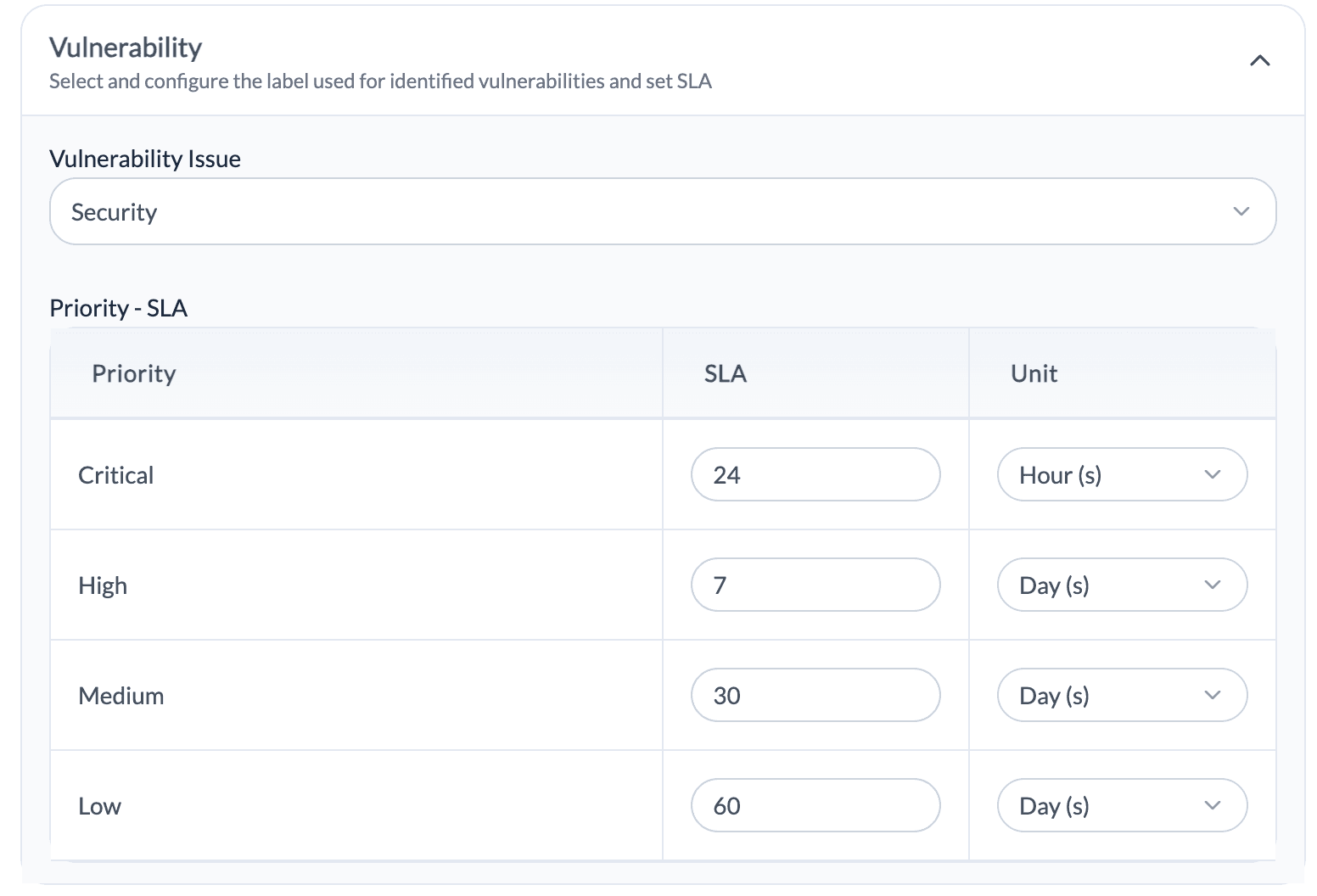
Vulnerability Issue
- Select the Linear issue label used to track identified vulnerabilities
- Use this label to manage vulnerability remediation activities
Priority – SLA
- Define remediation SLAs based on vulnerability severity
- Configure SLAs for Critical, High, Medium, and Low priorities
- Select the time unit for each SLA (hours or days)
Incident
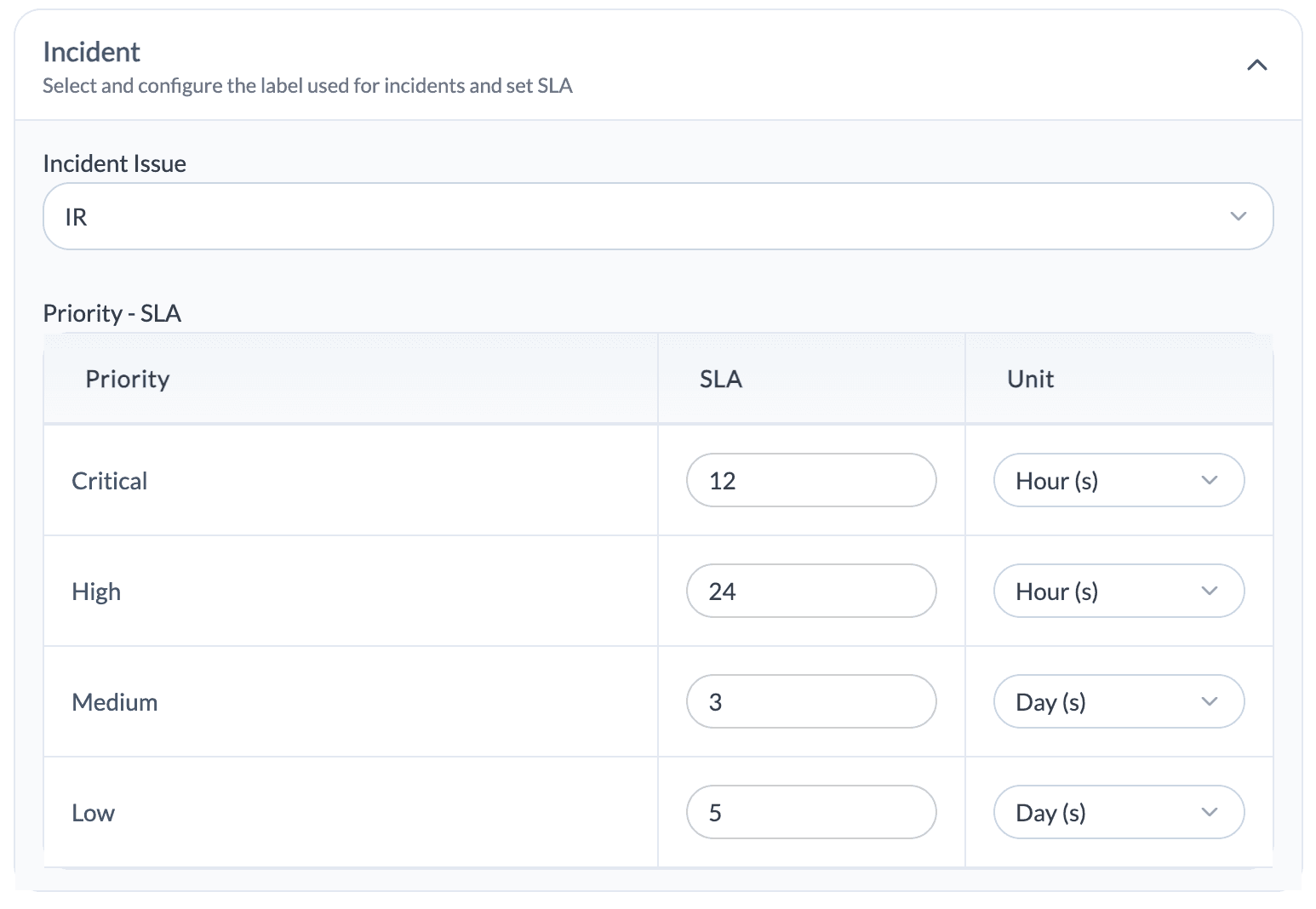
Incident Issue
- Select the Linear issue label used to track security incidents
- Use this label to manage incident response activities
Priority – SLA
- Define response SLAs based on incident priority
- Configure SLAs for Critical, High, Medium, and Low priorities
- Select the time unit for each SLA (hours or days)Ticketing Integrations
