
Search
The Create Vendor feature in the Uproot Security platform allows organizations to add third-party vendors, services, or software for centralized tracking and risk management.
Creating a vendor ensures ownership is defined, risk is assessed consistently, and review cycles are properly maintained.
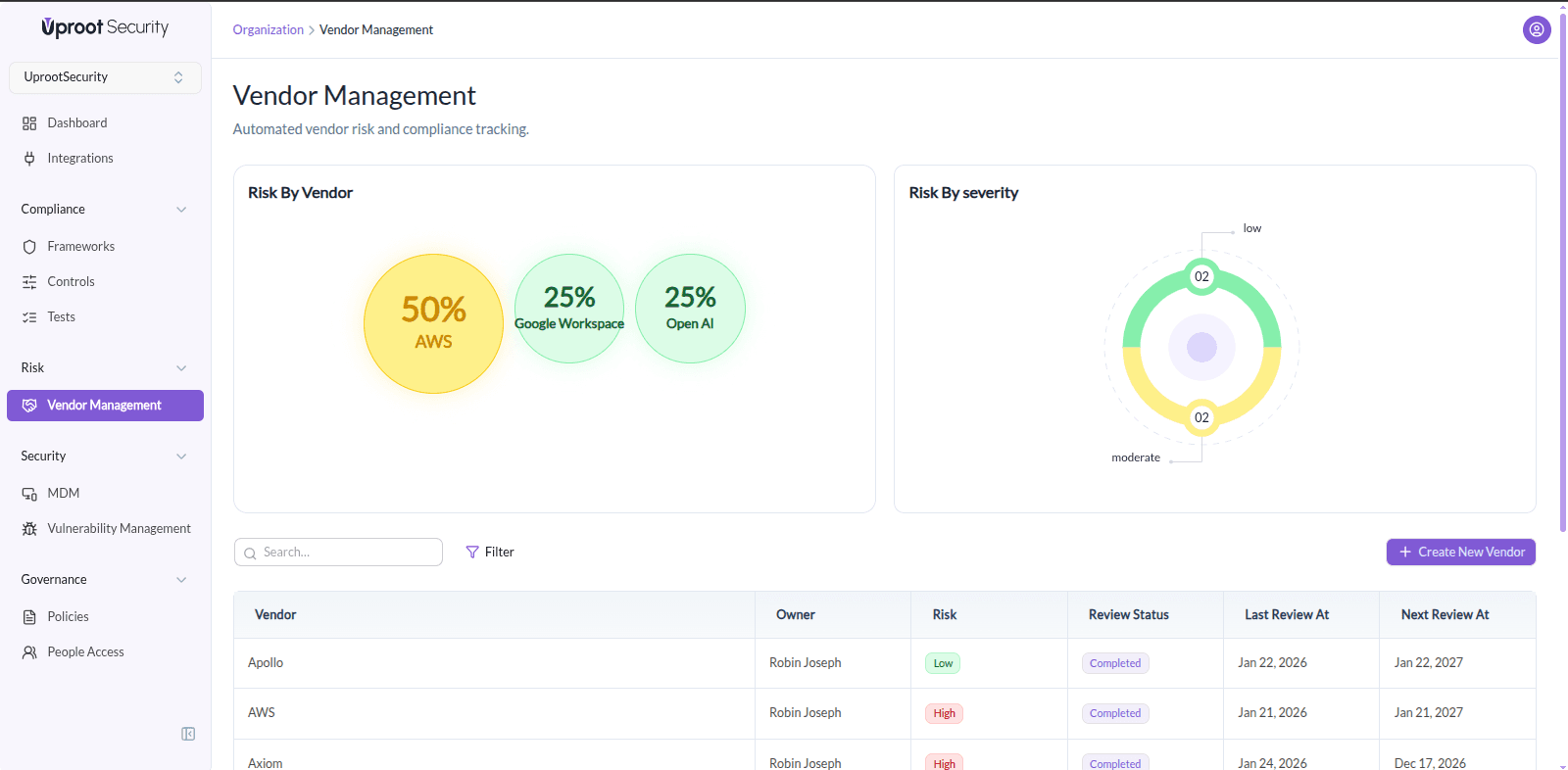
To create a new vendor:
You will be directed to the Create Vendor page, where vendor details can be entered.
The Vendor Information section captures essential details required to identify and manage a vendor.
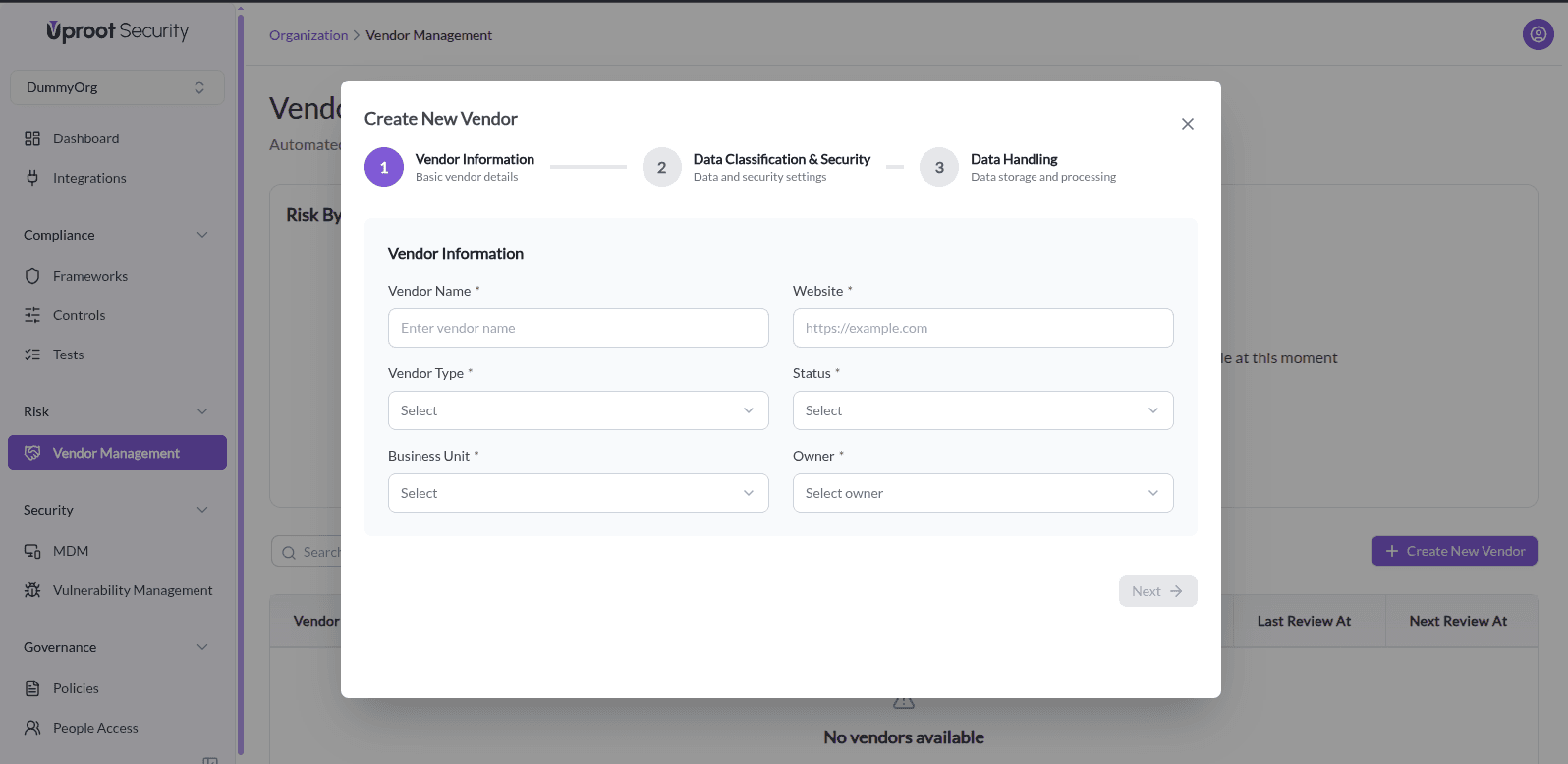
Select how the vendor is categorized:
Indicates the current state of the vendor:
Assign the internal team associated with the vendor:
Select the internal user responsible for managing the vendor.
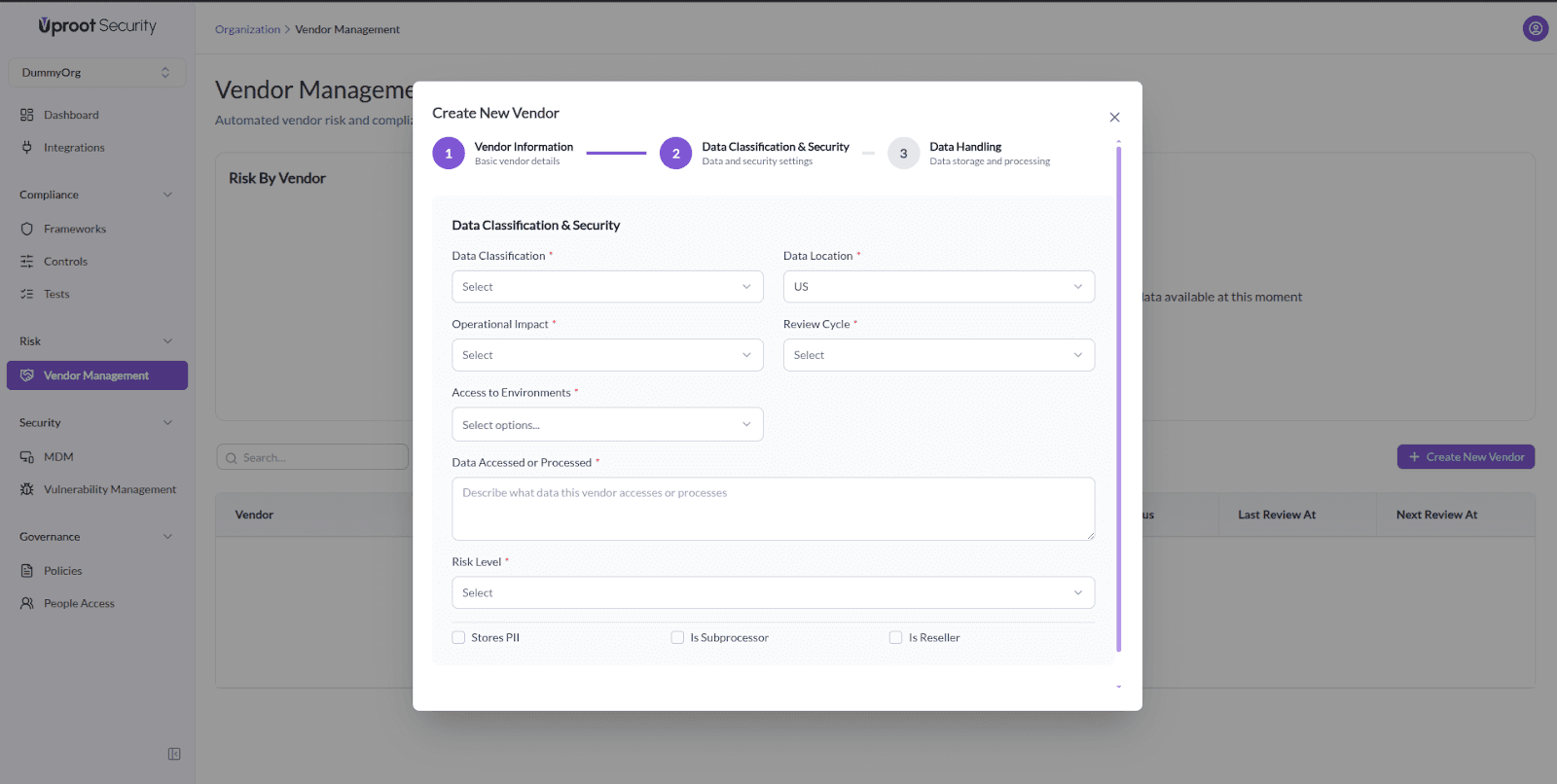
This section defines the sensitivity of data handled by the vendor and their level of access.
Configure the vendor’s risk posture and review frequency.
Specify where the vendor stores or processes data:
Once all required fields are completed, save the vendor to add it to your Vendor Management list. The vendor will now be available for ongoing review, risk assessment, and tracking within the platform.
Powered By SparrowDesk