Infrastructure Integrations

Au

Adarsh

February 16, 2026

Infrastructure integrations allow Uproot to connect with your cloud environments to monitor configuration, access, and resource usage. These integrations help identify misconfigurations, access risks, and compliance gaps across your cloud infrastructure.

Available Infrastructure Integrations in Uproot

Uproot currently supports integration with the following infrastructure platforms. These integrations allow you to connect cloud environments and align infrastructure monitoring with security and compliance controls.

  1. Amazon Web Services (AWS)

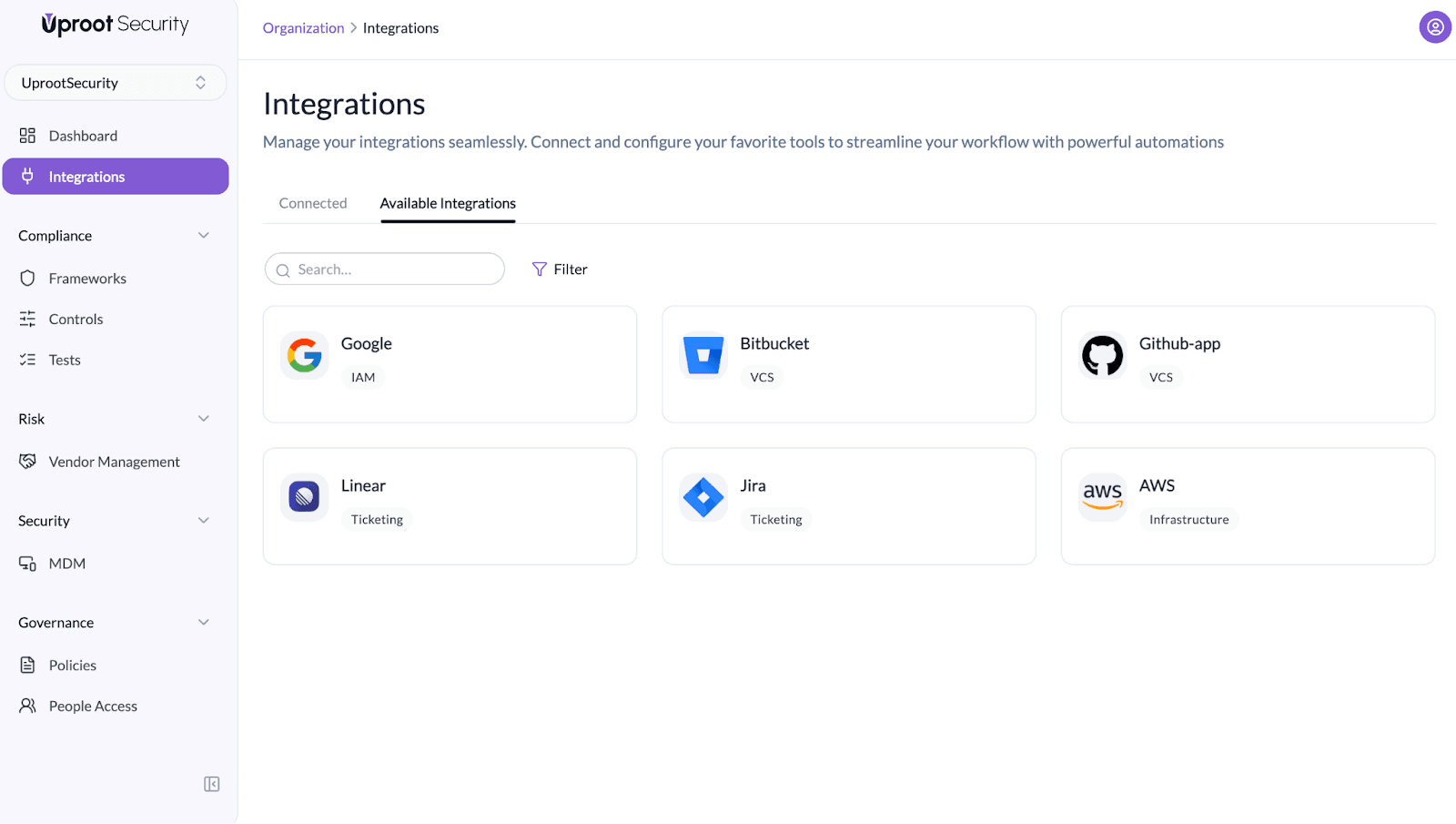
Integrate AWS to monitor cloud configurations, access risks, and compliance issues across your AWS accounts and regions.

How to Enable the AWS Integration

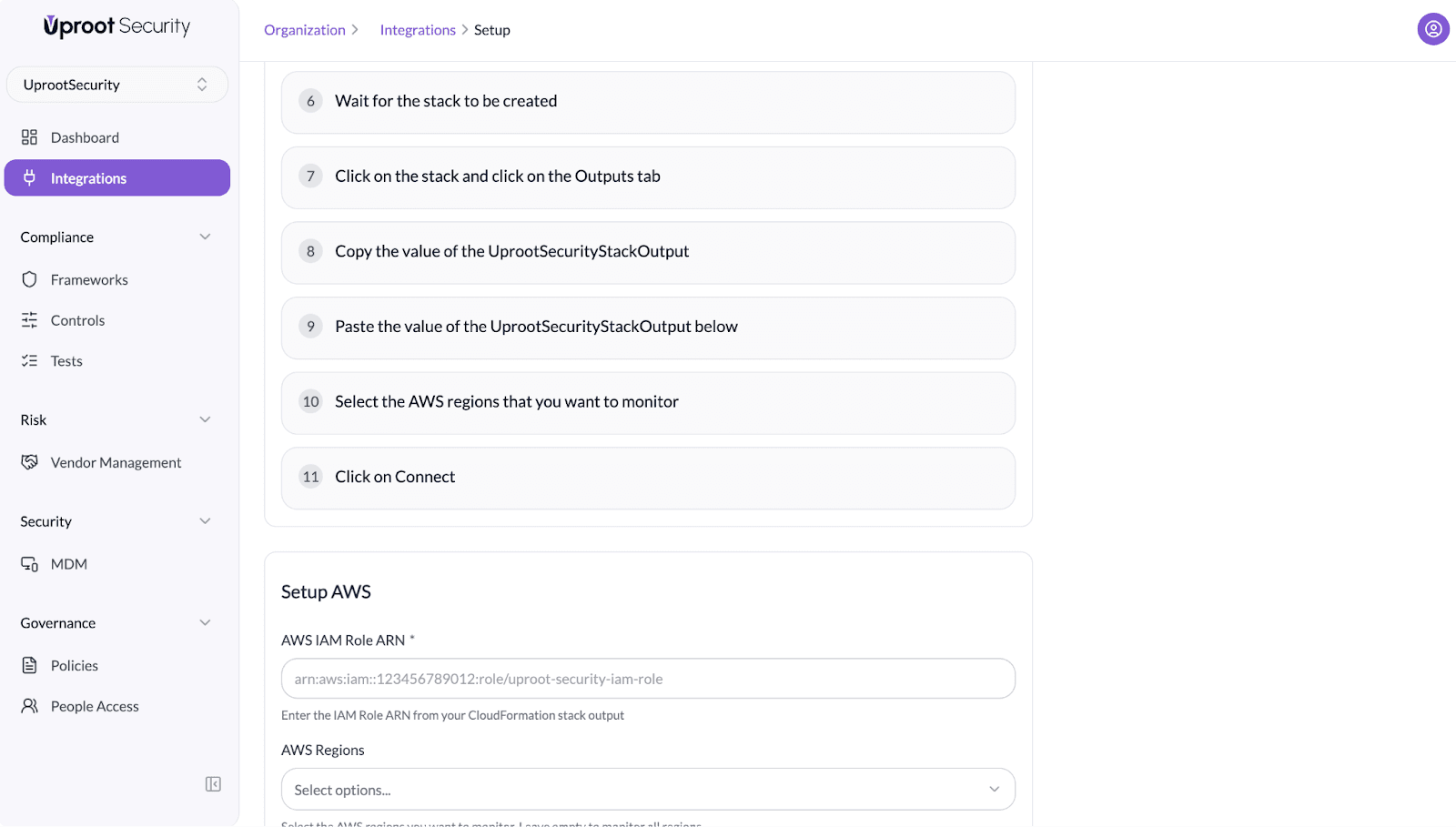
Follow the steps below to connect your AWS account with Uproot using the Uproot platform integration.
Image

Image

Image

Image

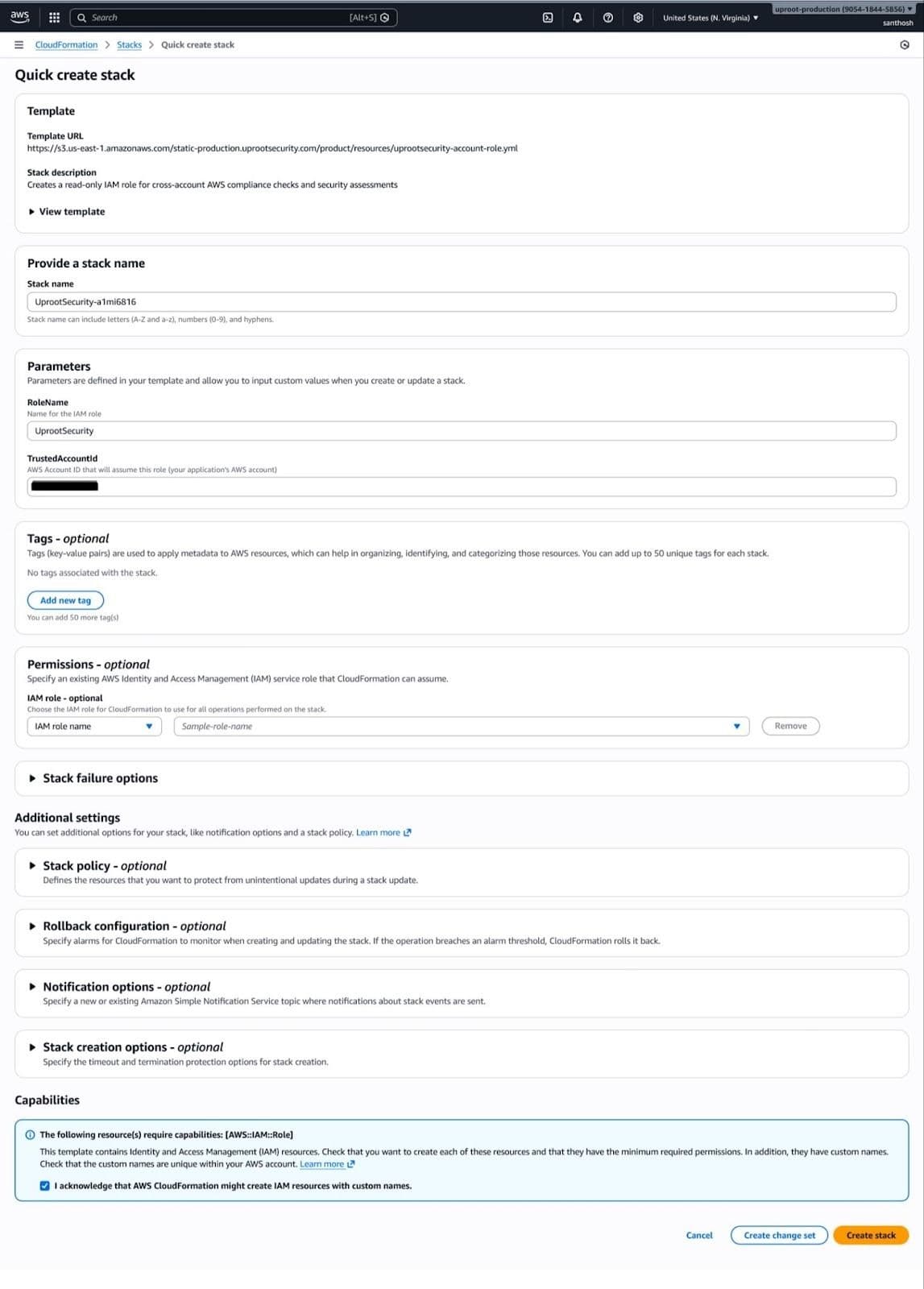
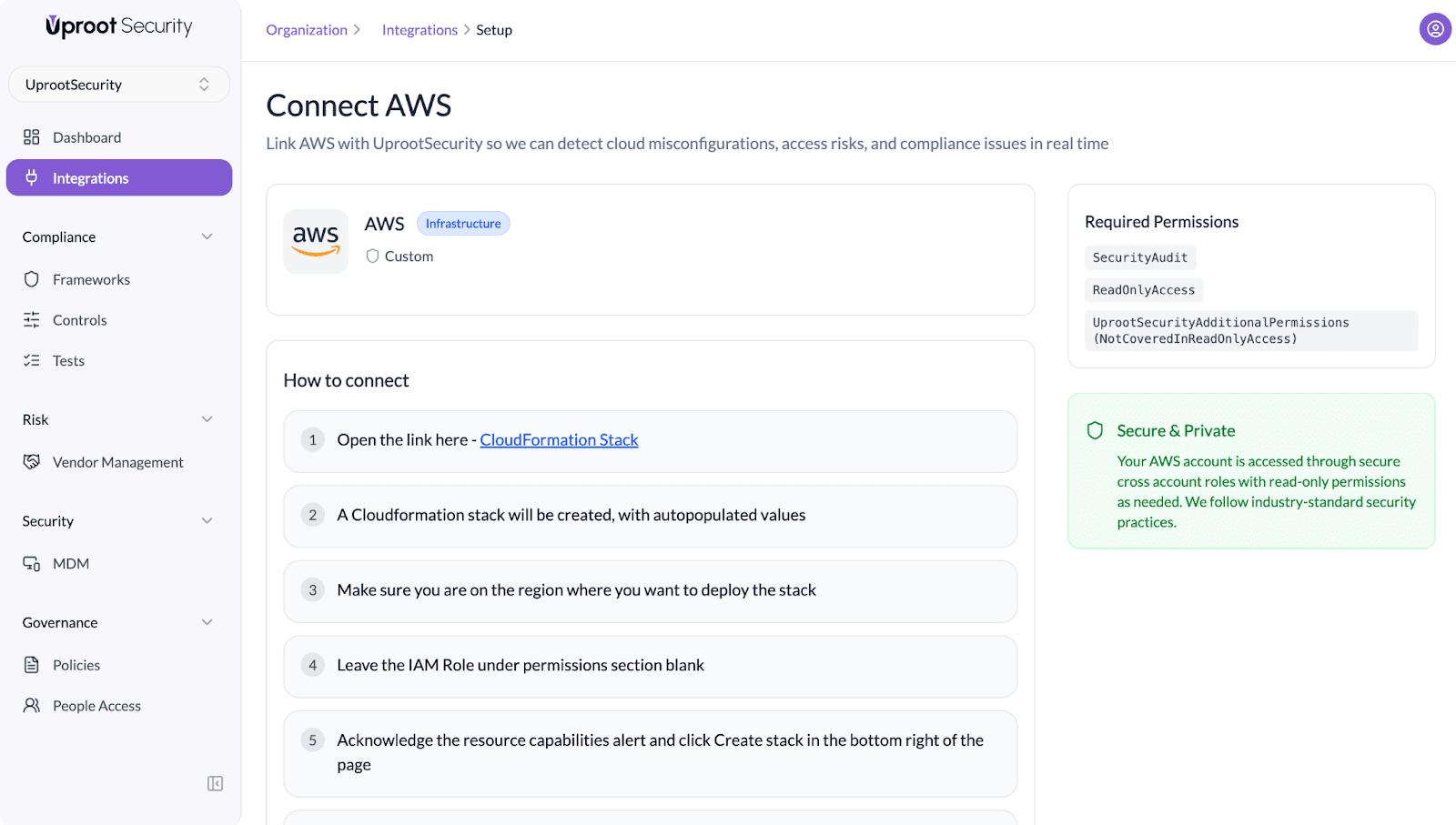
  1. Open the provided CloudFormation Stack link.
  2. A CloudFormation stack will be created with pre-populated values.


Image

  1. Ensure you are in the AWS region where you want to deploy the stack.
  2. Leave the IAM Role field under the permissions section blank.
  3. Acknowledge the resource capabilities alert and click Create Stack.
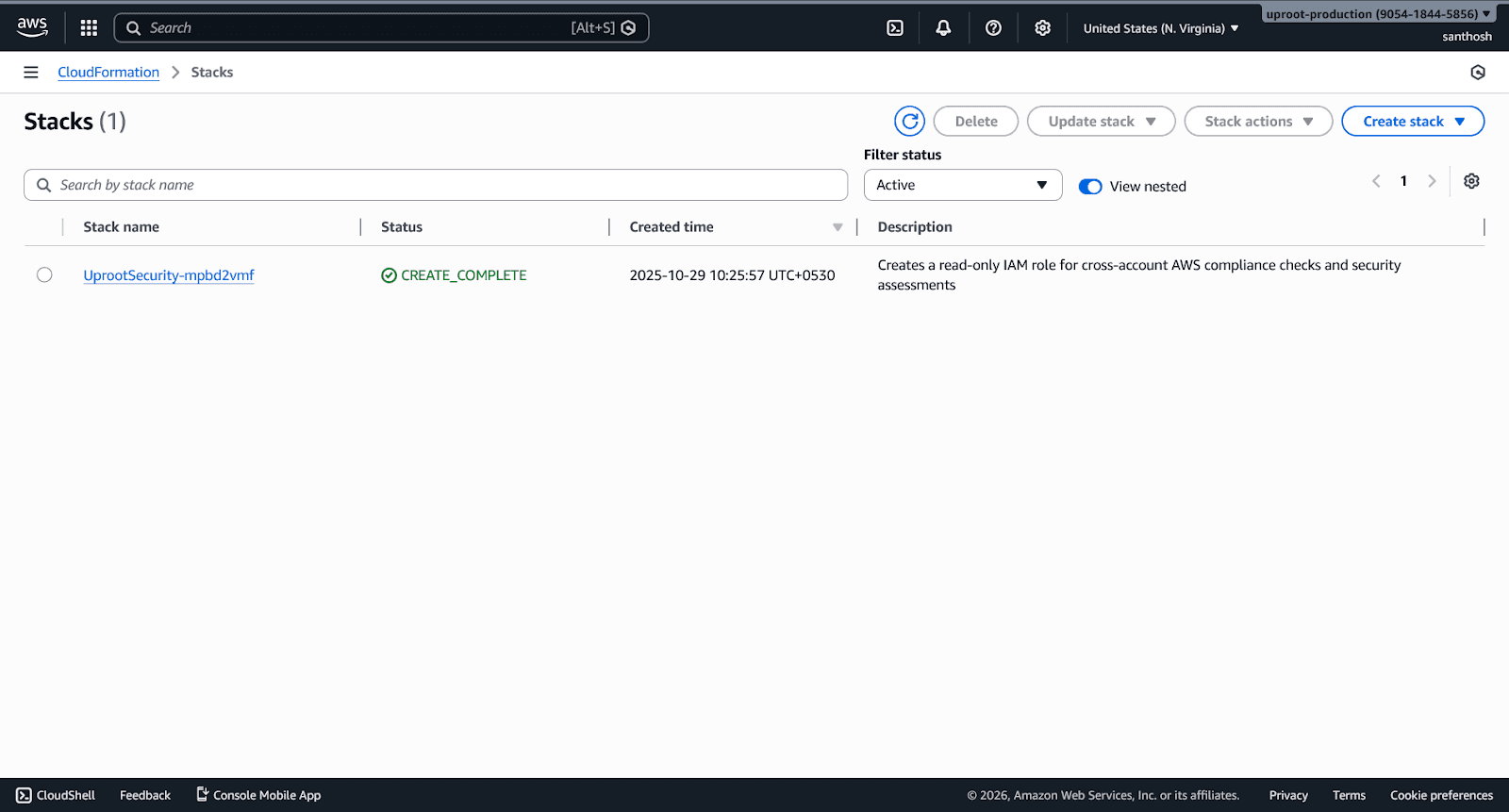
  4. Wait for the CloudFormation stack to be created successfully.


Image

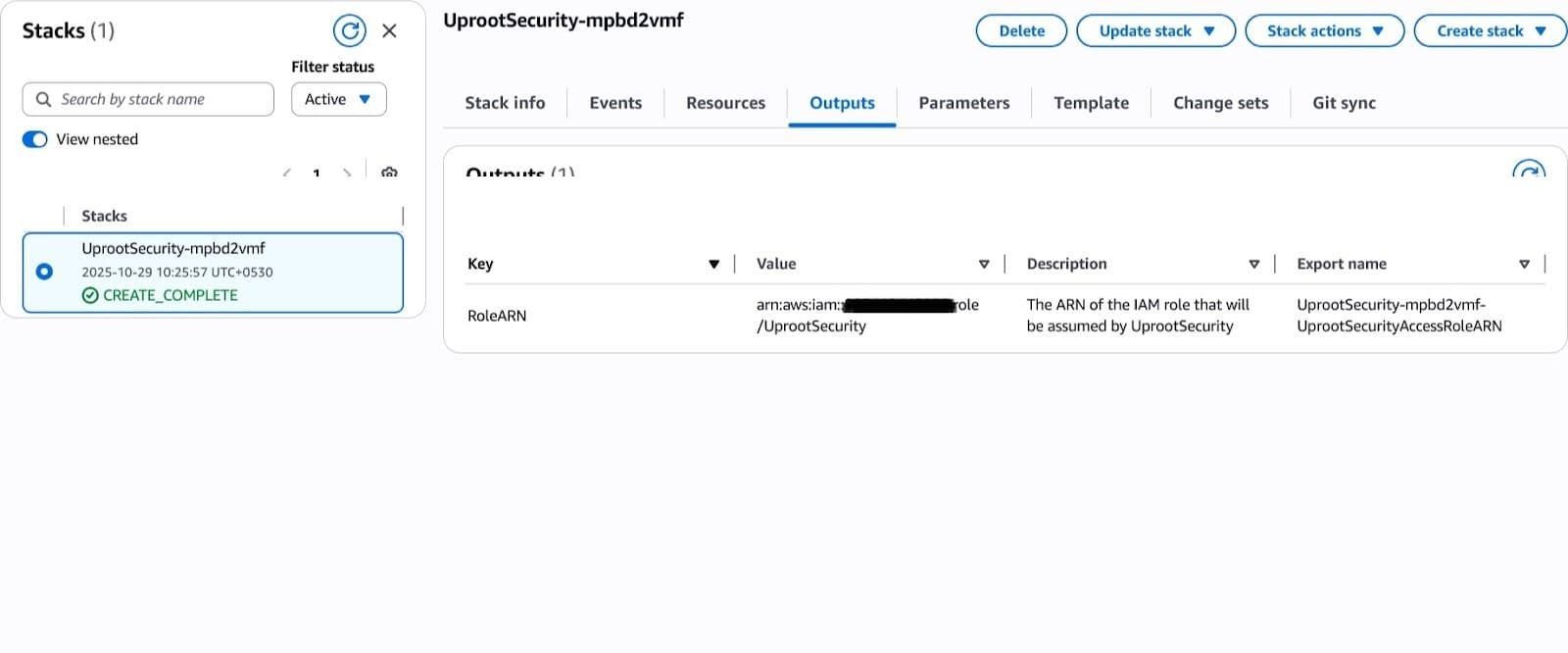
  1. Click on the stack and navigate to the Outputs tab.


Image

Image

  1. Copy the value of UprootSecurityStackOutput.
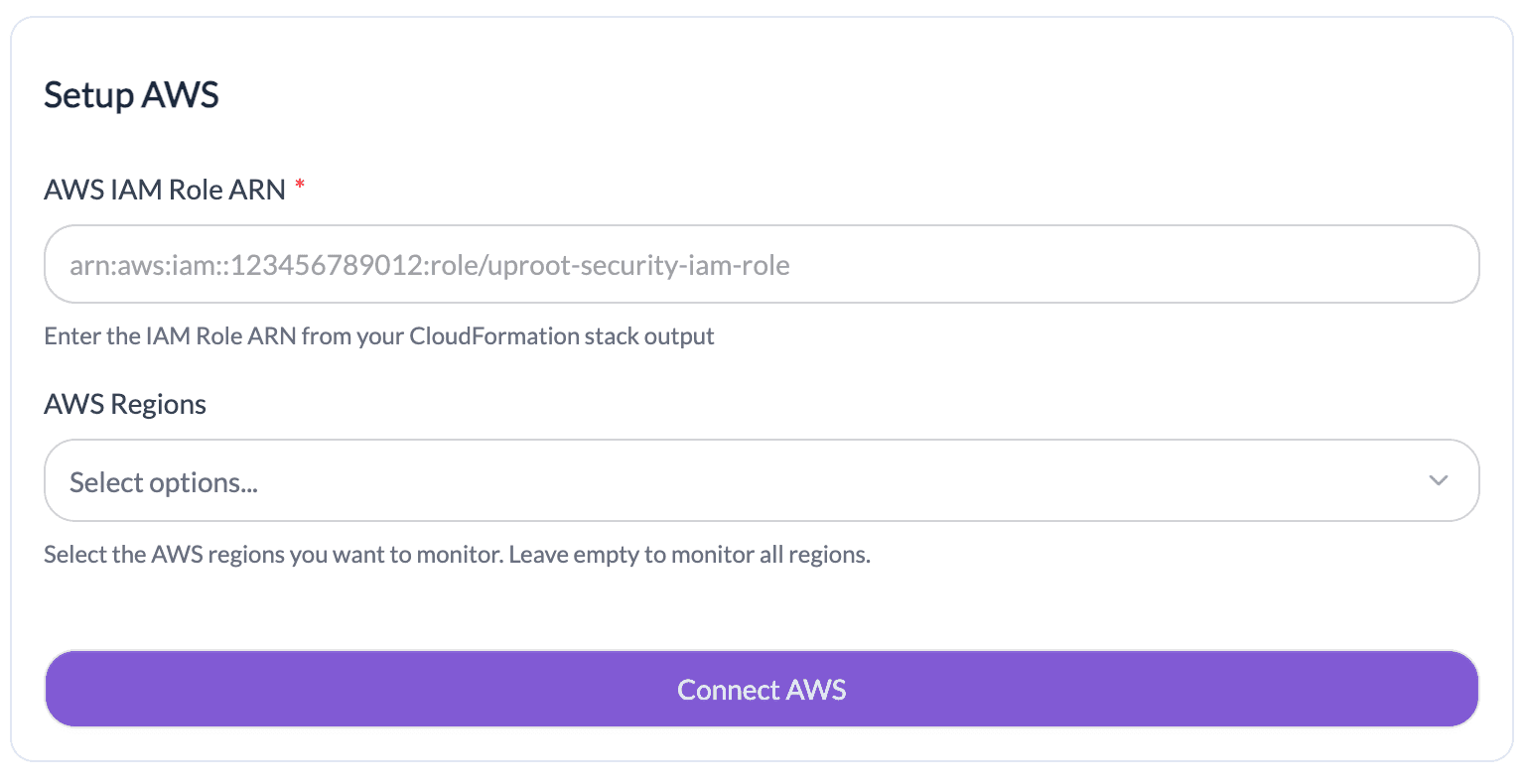
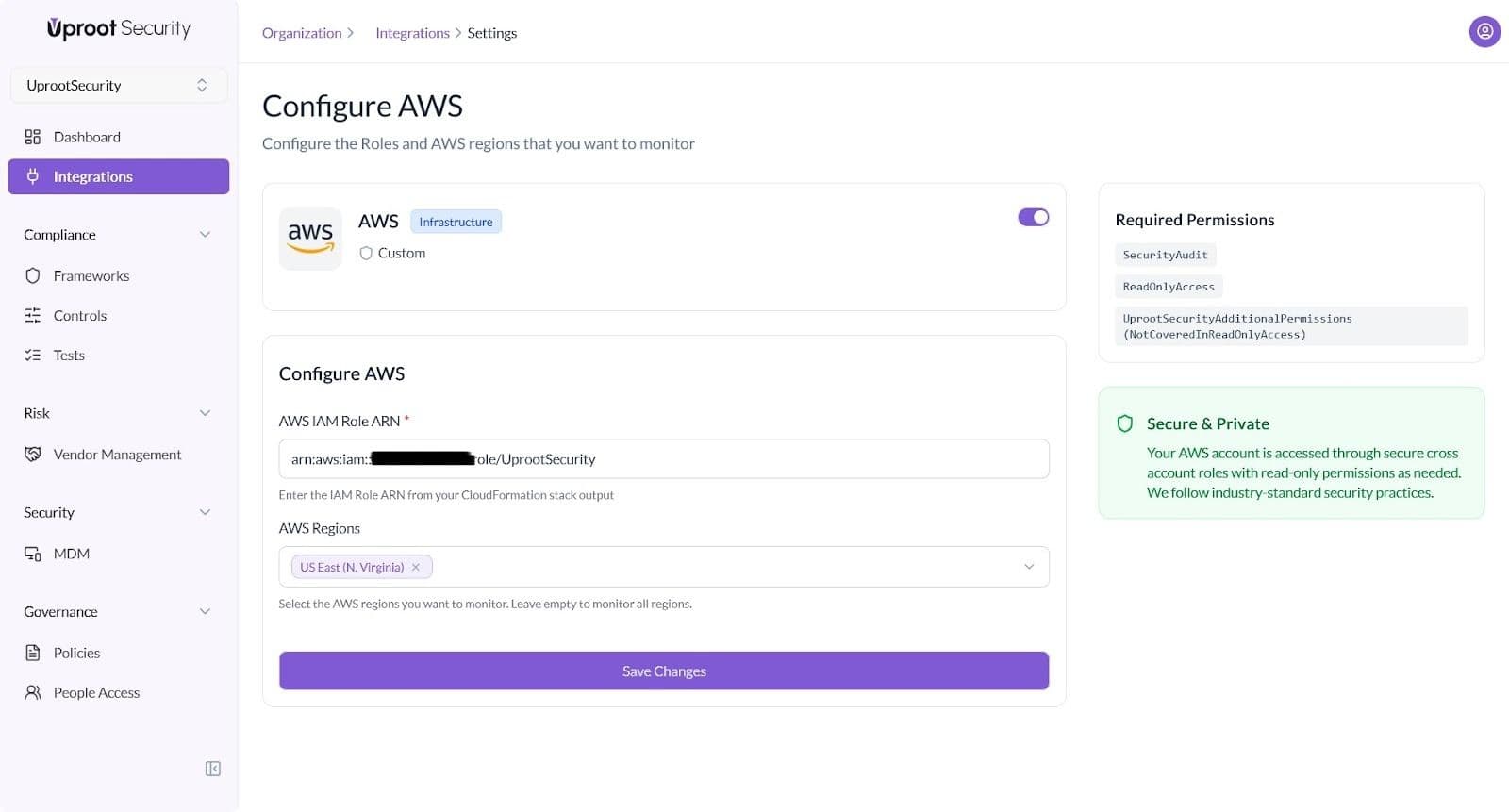
  2. Paste the copied value into the AWS IAM Role ARN field in Uproot.
  3. Select the AWS regions you want Uproot to monitor (or leave empty to monitor all regions).
  4. Click Connect to complete the setup.


Once the integration is enabled, Uproot will begin monitoring your AWS environment to identify cloud misconfigurations, access risks, and compliance issues in real time.

Powered By SparrowDesk