
Search
Version Control System (VCS) integrations allow Uproot to connect with your source code repositories and reference how code is developed and managed within your organization. These integrations help link engineering workflows with security and compliance controls by providing visibility into code ownership, access, and change processes.
Uproot currently supports integration with the following Version Control Systems. These integrations allow you to connect your code repositories and align development workflows with security and compliance controls.
Connect GitHub repositories to reference repository access, ownership, and development workflows used by your engineering teams.
Integrate Bitbucket to track how code is managed, reviewed, and maintained within your organization.
Follow the steps below to connect your GitHub account Uproot using the Uproot platform integration.
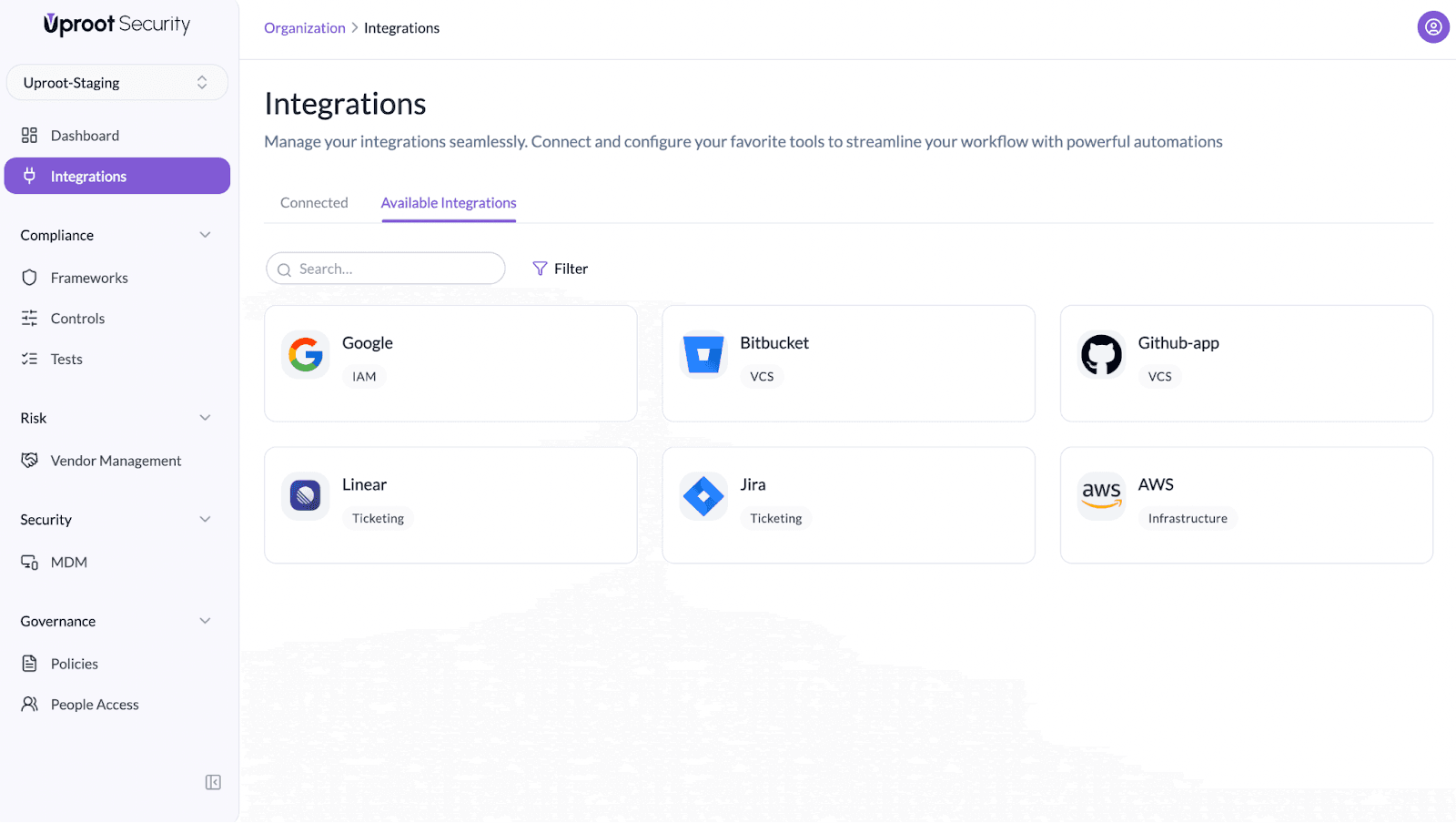
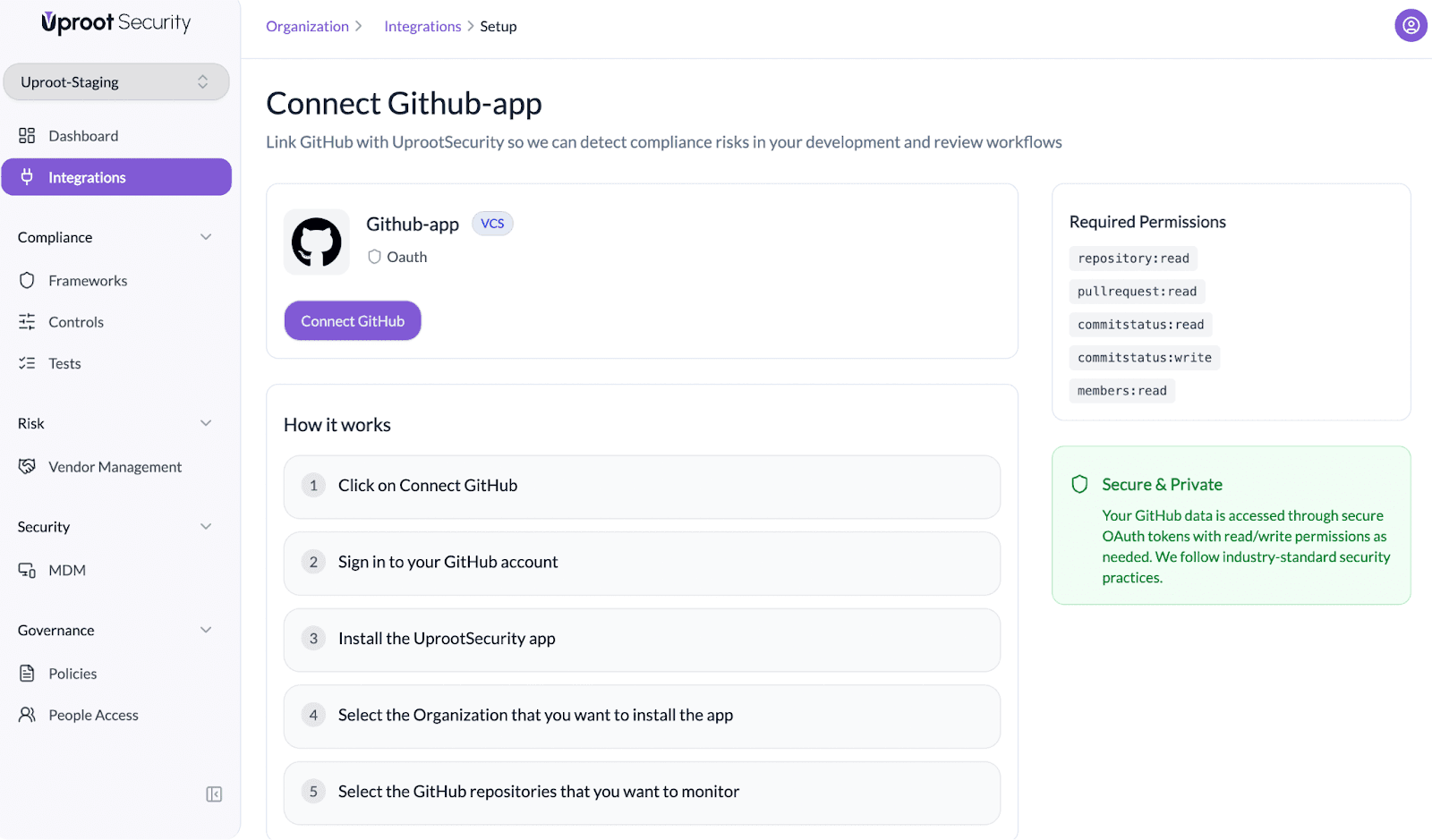
Once the integration is enabled, Uproot will begin referencing your selected repositories to identify compliance and security risks in your development and review workflows.
Follow the steps below to connect your Bitbucket account Uproot using the Uproot platform integration.
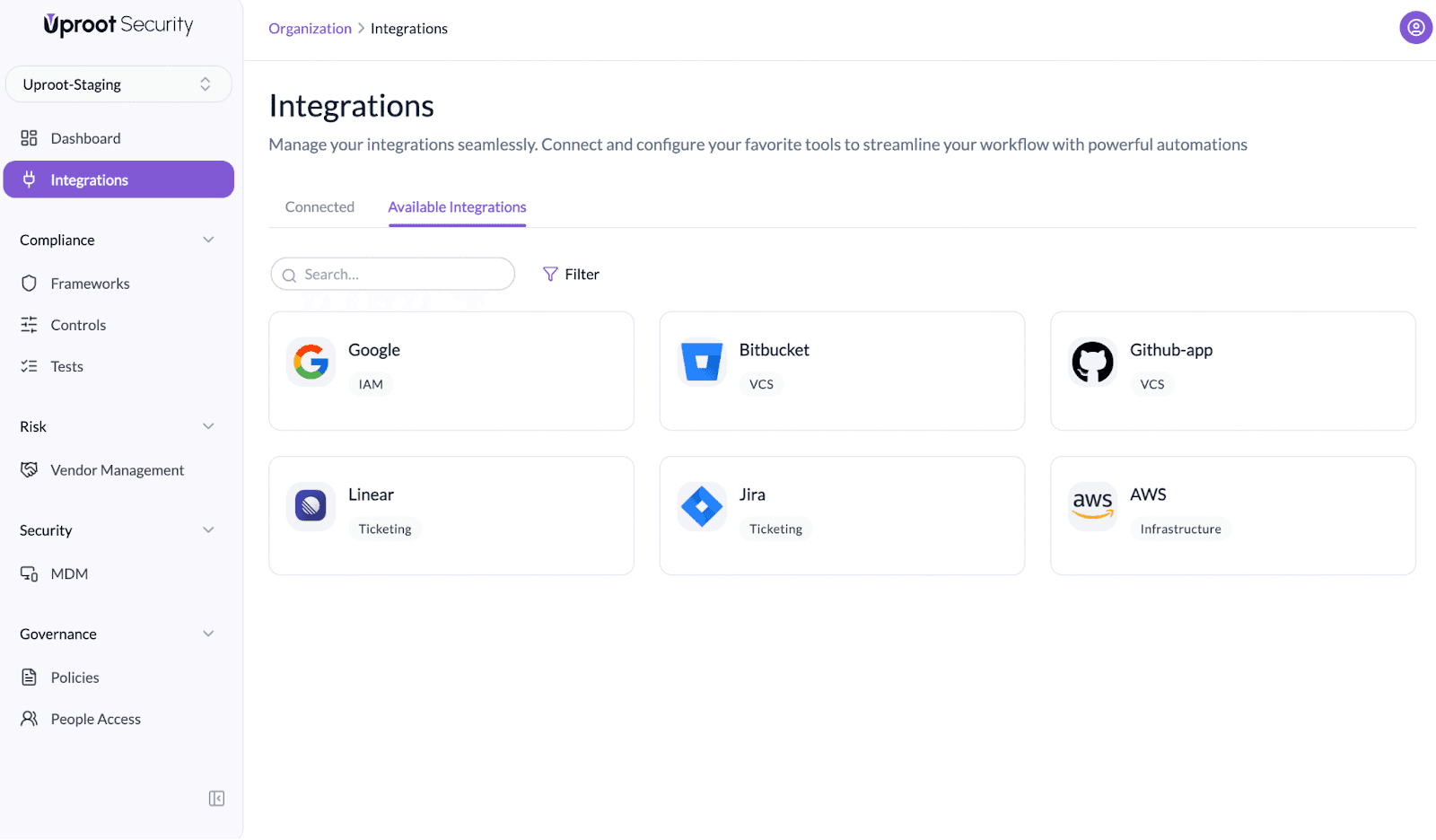
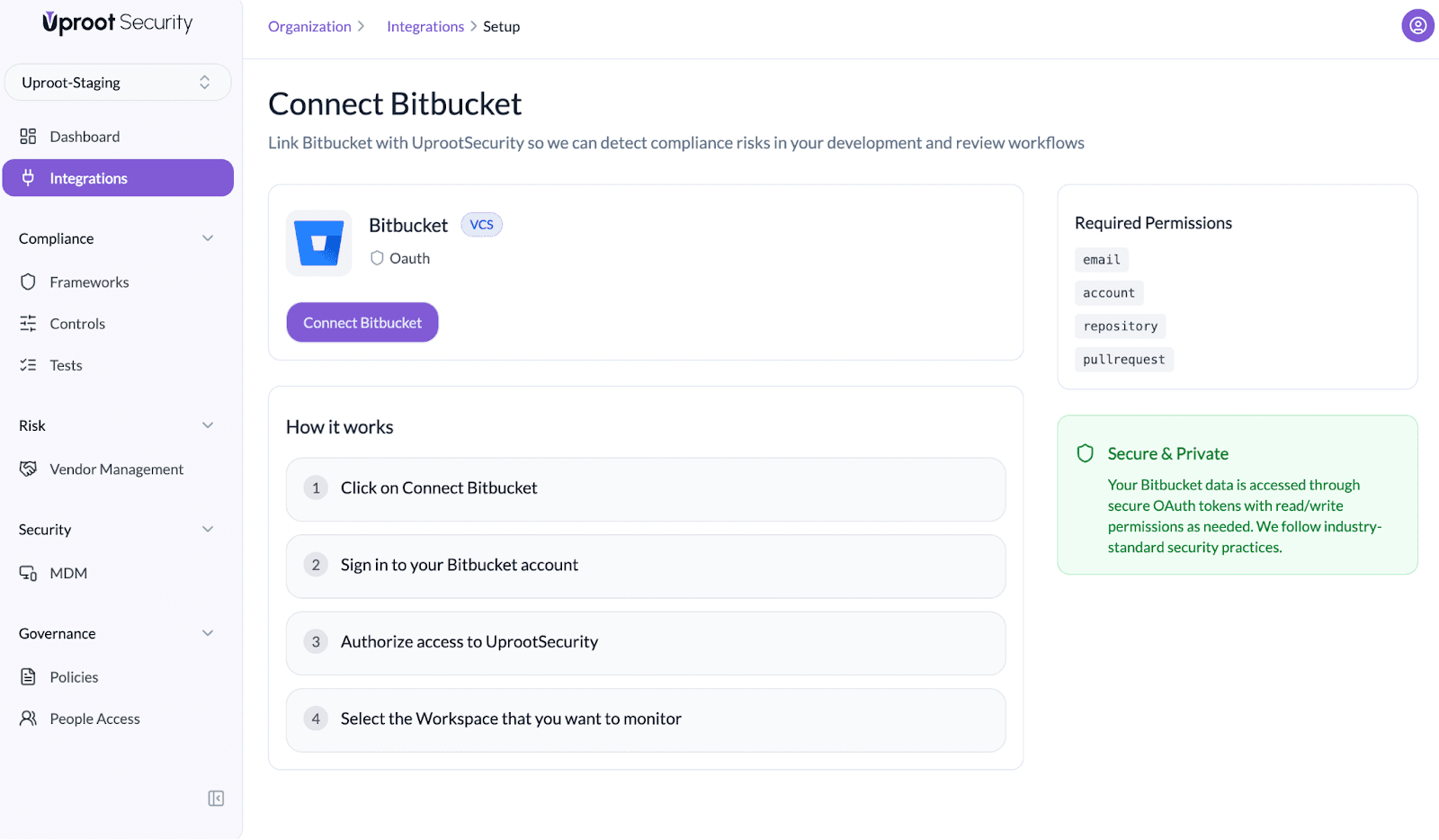
Once the integration is enabled, Uproot will begin referencing your selected Workspace to identify compliance and security risks in your development and review workflows.
Powered By SparrowDesk